SSHEN

Incorrect password.

000%

INITIALIZING

SSHEN

APPLE INTERNAL WEBSITE

  1. 00ABOUT
  2. 01IMPACT
  3. 02PROBLEM
  4. 03SOLUTION
  5. 04PROCESS
  6. 05FINAL DESIGN

0% READ

Apple Internal Website

INTERNSHIP WORK UNDER NDA · DATES AND DETAILS HIDDEN

A home for Apple Product Operations' media content interns: a team site that shows who they are, and Task Tally, a checklist of five badges that walks each new intern through the internship.

ROLE
Product Ops content development intern
TEAM
Apple Product Operations
TIMELINE
Summer 2024
PROJECT
Individual passion project
PLATFORM
Internal website
OPEN FULL SCREEN ↗

INTERNSHIP IMPACT

As a Product Operations intern, I worked on six projects that reached the whole department, from the weekly email to executive keynotes.

+0%

EVENT PARTICIPATION · WEEKLY EMAIL

+0%

WEBPAGE TRAFFIC · WEBSITE REVAMP

+0%

COURSE ENROLLMENT · WEBSITE REVAMP

0+

ON-SITE ATTENDEES · EXECUTIVE KEYNOTES

0+

FTE ATTENDEES · ON-SITE EVENT

THE INTERNSHIP

Six projects: the Pods slider, comms, keynote decks, website revamps, an event open house, and a passion project of my own.

THE TEAM

Product Operations runs a central learning hub for department-wide resources and a VP-sponsored career development program. I was one of its media content interns.

PROBLEM

Alongside the team work, I noticed my fellow media content interns stuck on the same thing: the resources existed, but no one could find their way to them.

WHAT I OBSERVED

Onboarding arrived as a pile of courses, programs and instructions. There was no page saying who the team was or how it was structured, and a role still being defined made both harder. Leaving was no easier: there was no clear way to hand work over.

HOW MIGHT WE

How might we give media content interns a team identity, and a clear path through every stage of the internship, from the first day to handing off their work?

WHAT INTERNS TOLD ME

  • “Found the onboarding processes overwhelming due to multiple courses, programs and instructions.”

  • “Having a hard time understanding the team structure.”

  • “Hope to get more structured guidance while de-boarding and transition my work to others.”

  • “We have excellent resources, but many people aren't aware that they exist.”

  • “Confused by company culture; thought it would be way more formal.”

  • “The role and scope were still evolving and I feel like I'm working in a space that doesn't have a clear definition yet.”

  • “Don't know how to do specific tasks.”

SOLUTION

A website that gives media content interns a team identity, and a digital checklist that supports them through the whole internship, with the essential tools, trainings and resources for every stage.

Media Content Interns

A team site: who the interns are, their responsibilities, recent work and stories, in one place.

Task Tally

A checklist in five badges, one per part of the internship, each task linked to the tool, training or resource it needs.

PROCESS
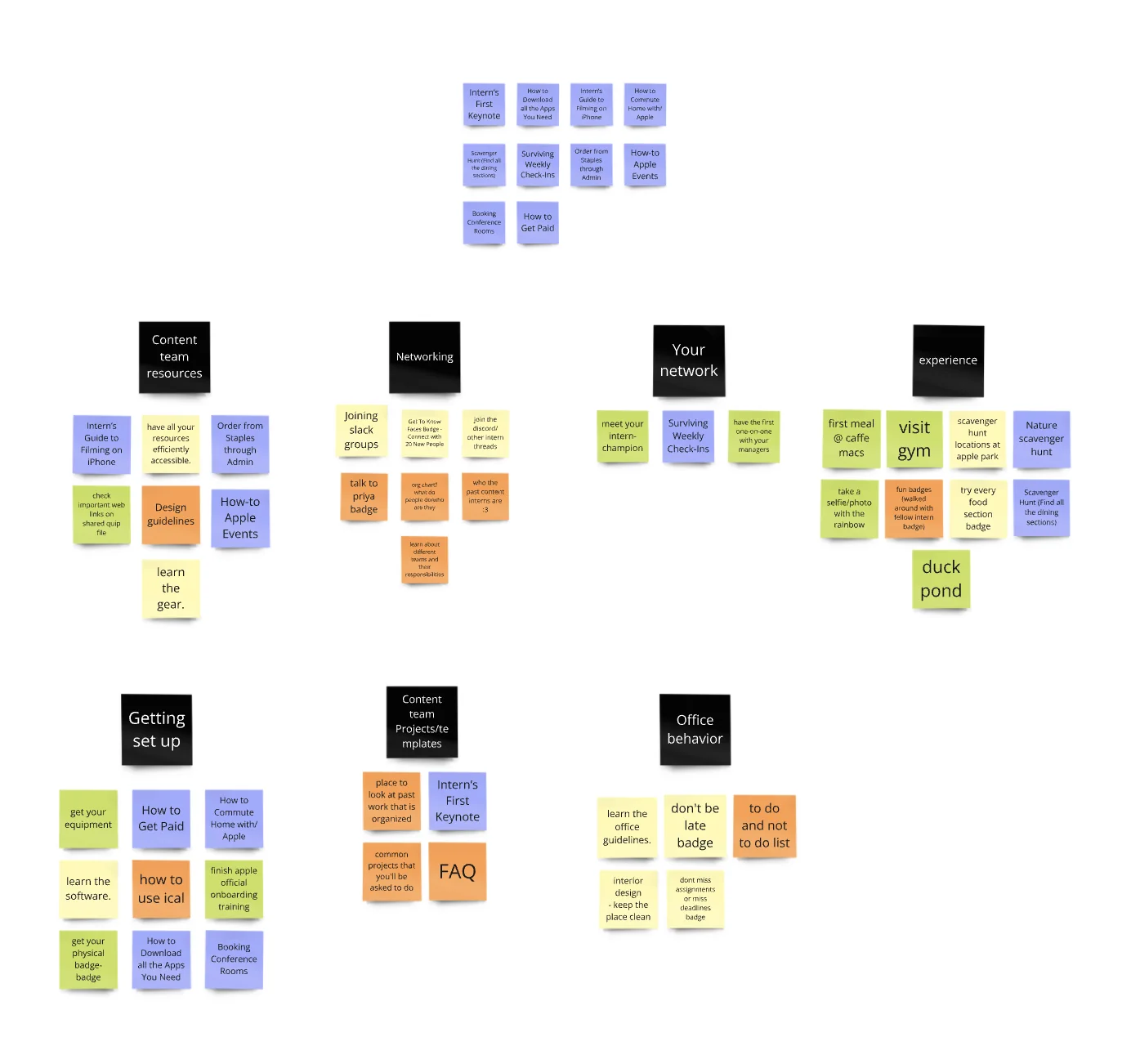
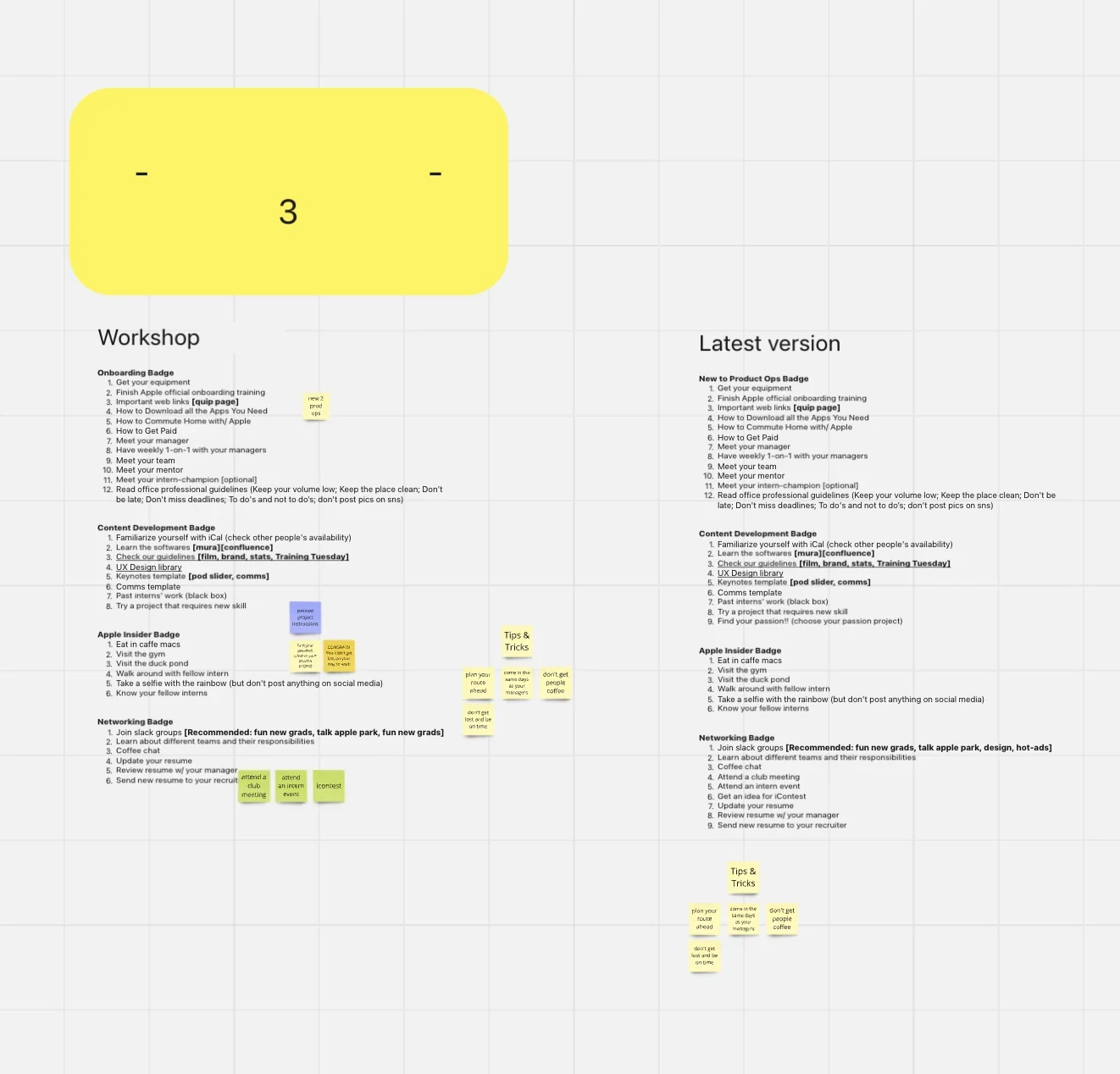
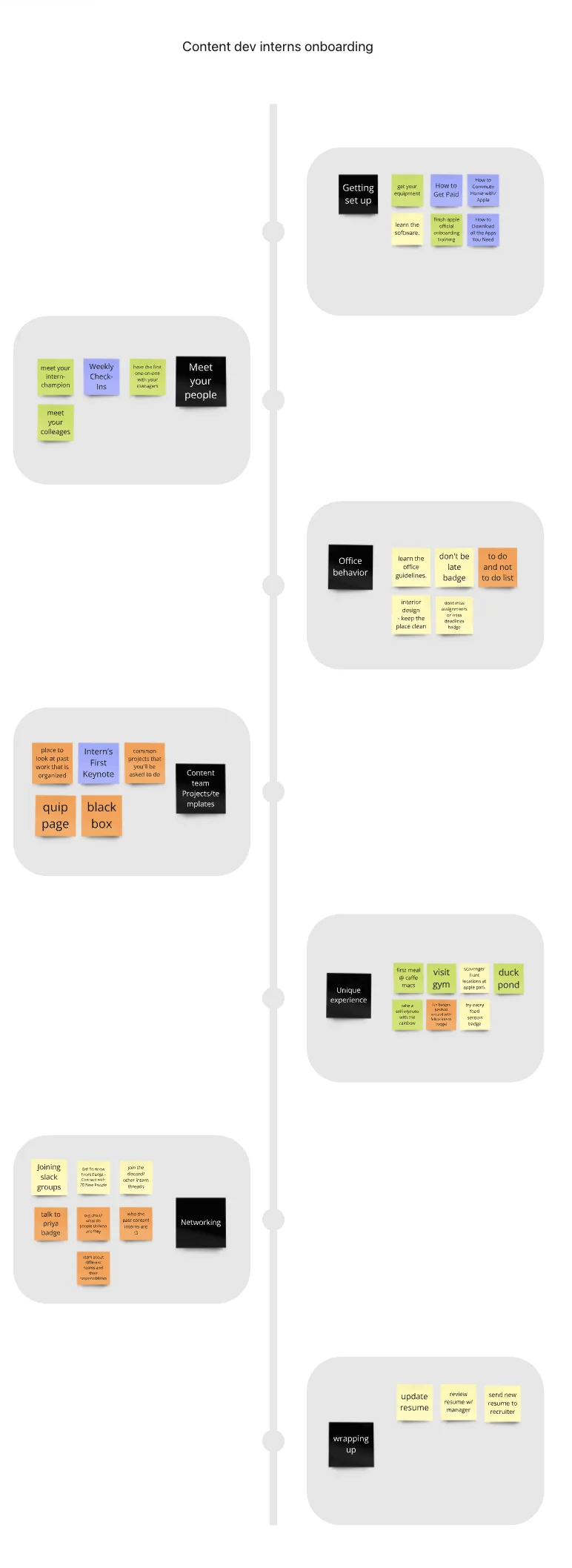
Team workshop

Sticky notes clustered under headings like Getting set up, Networking, Office behavior and Experience
The workshop list next to its latest version, grouped into badges
  • The team listed the 10+ things that felt most essential to onboarding, then clustered them: getting set up, content team resources and templates, networking, office behavior and the Apple experience.
  • The clusters became the badges: New to Product Ops, Content Development, Apple Insider and Networking, plus Tips & Tricks.

Early-stage studies

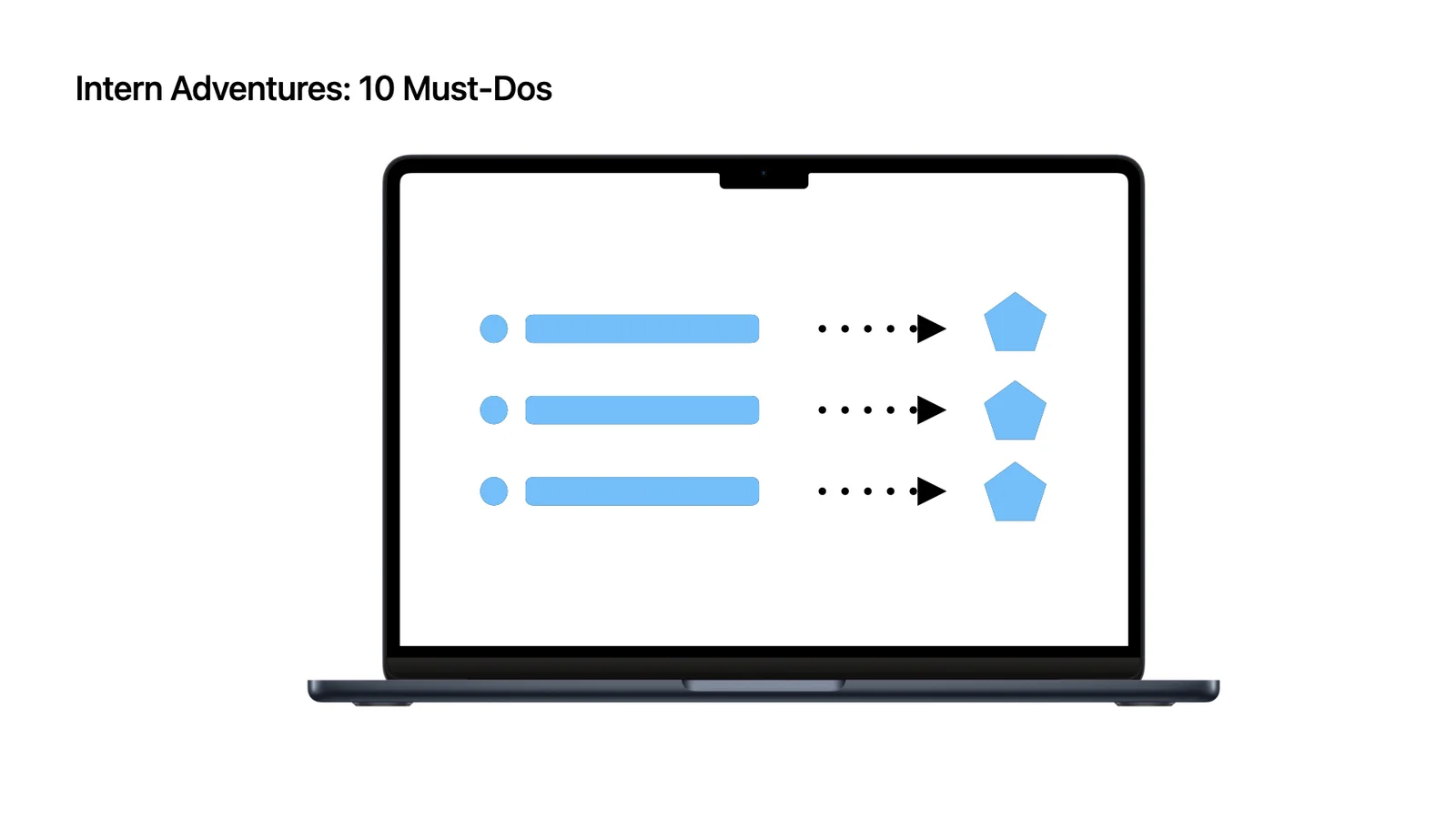
Intern Adventures: 10 Must-Dos, each item turning into a badge
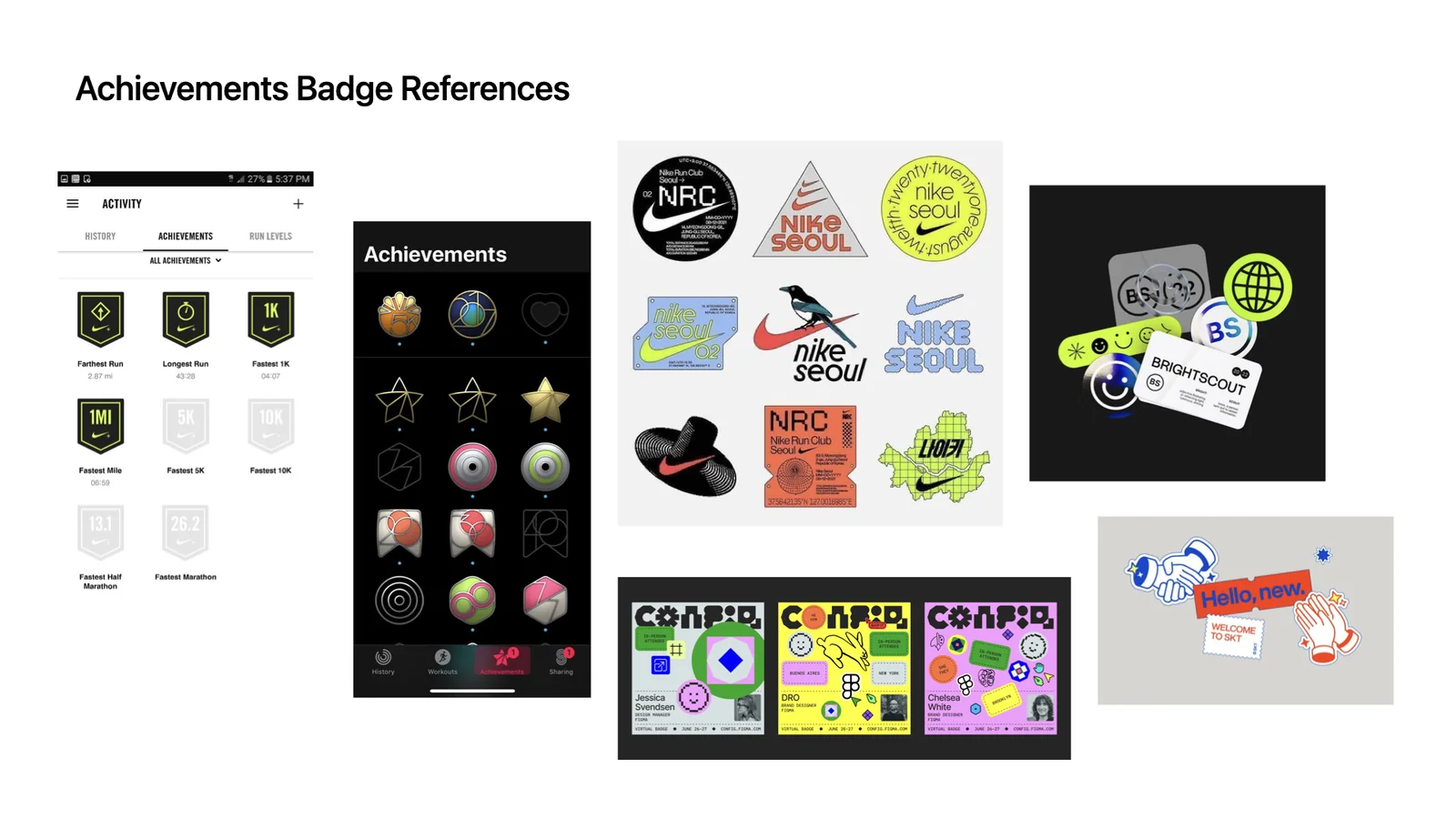
Achievement badge references, including Nike Run Club badges and stickers
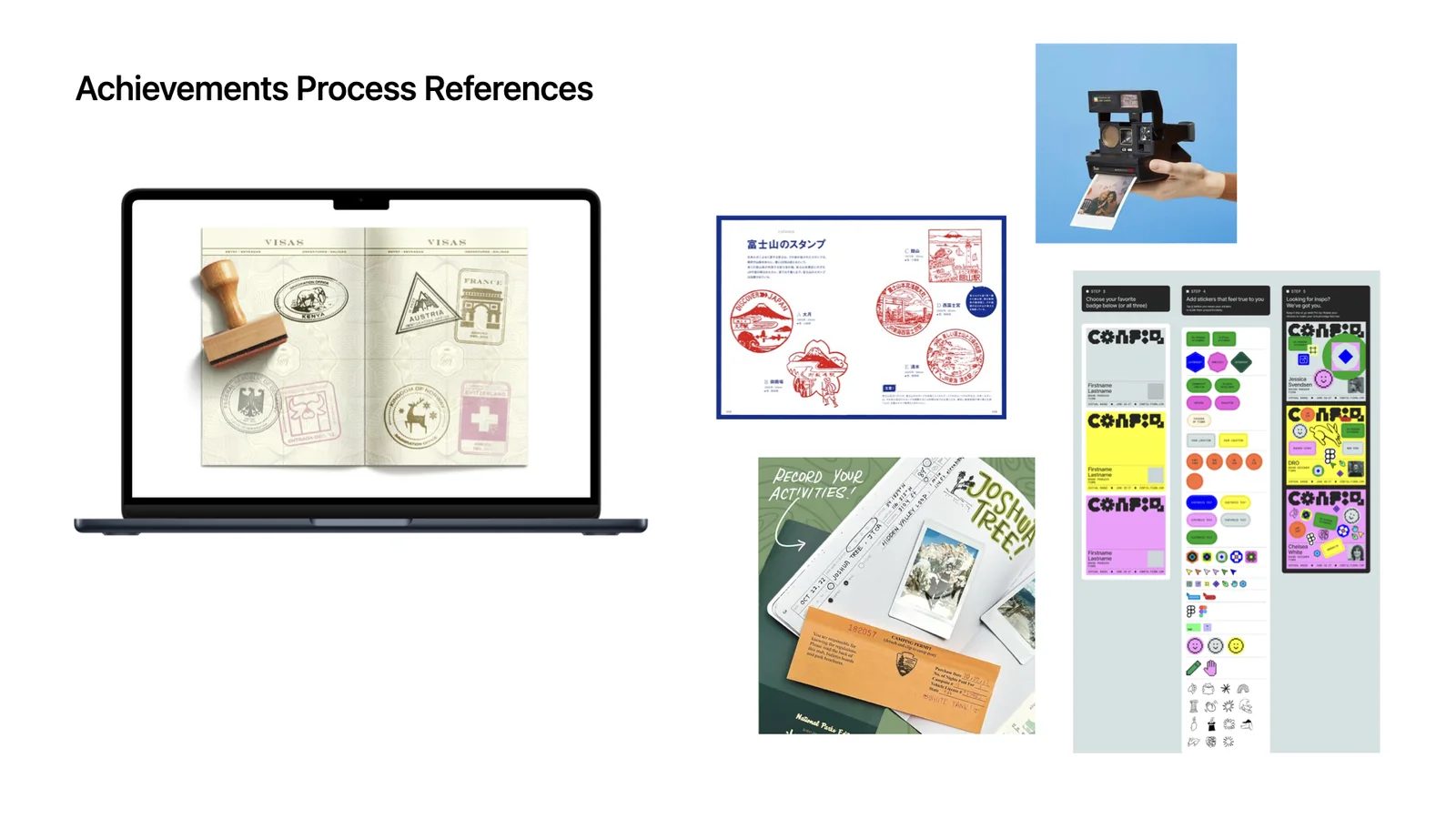
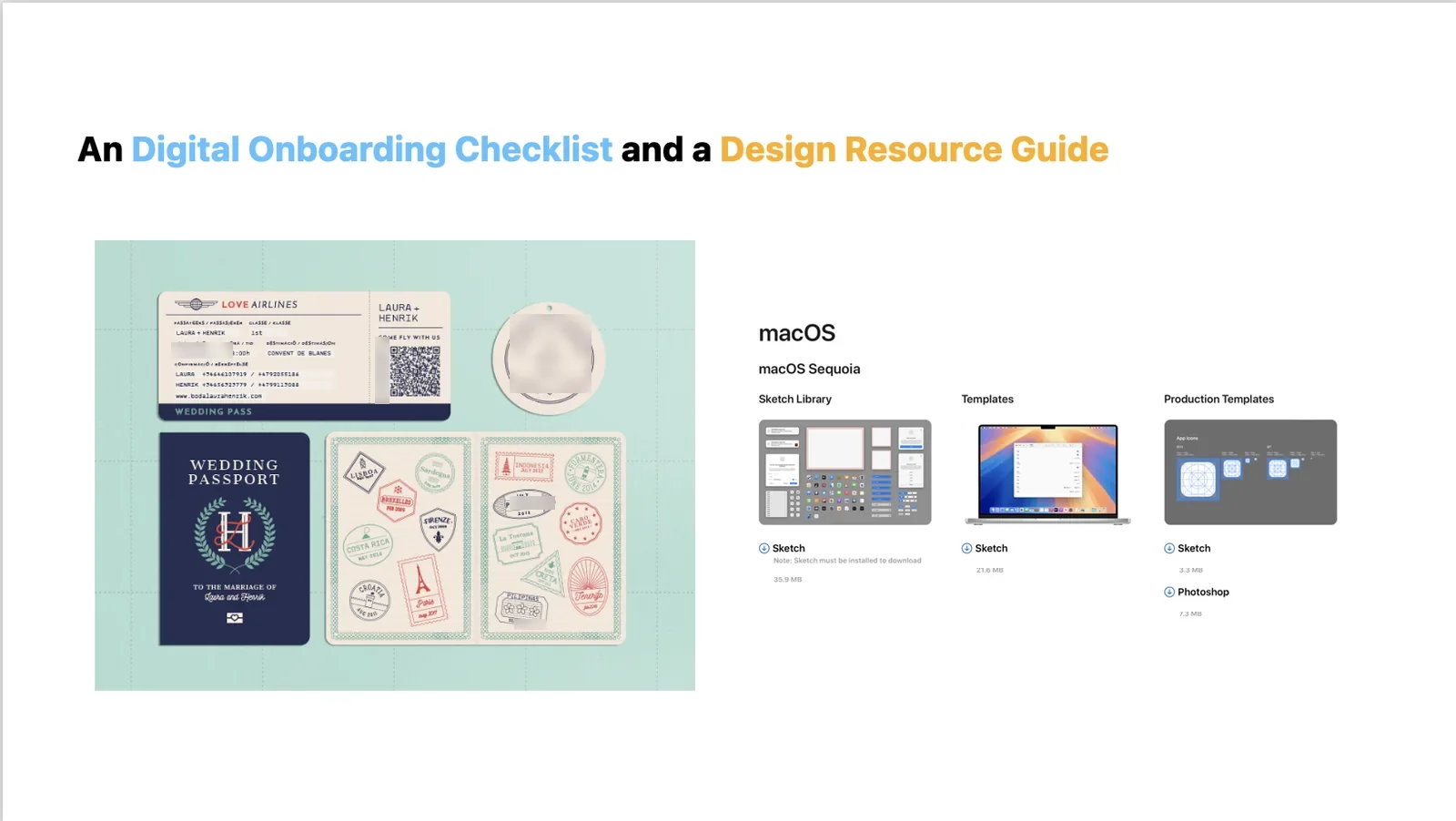
Achievement process references: passport stamps, stamp cards and sticker sheets
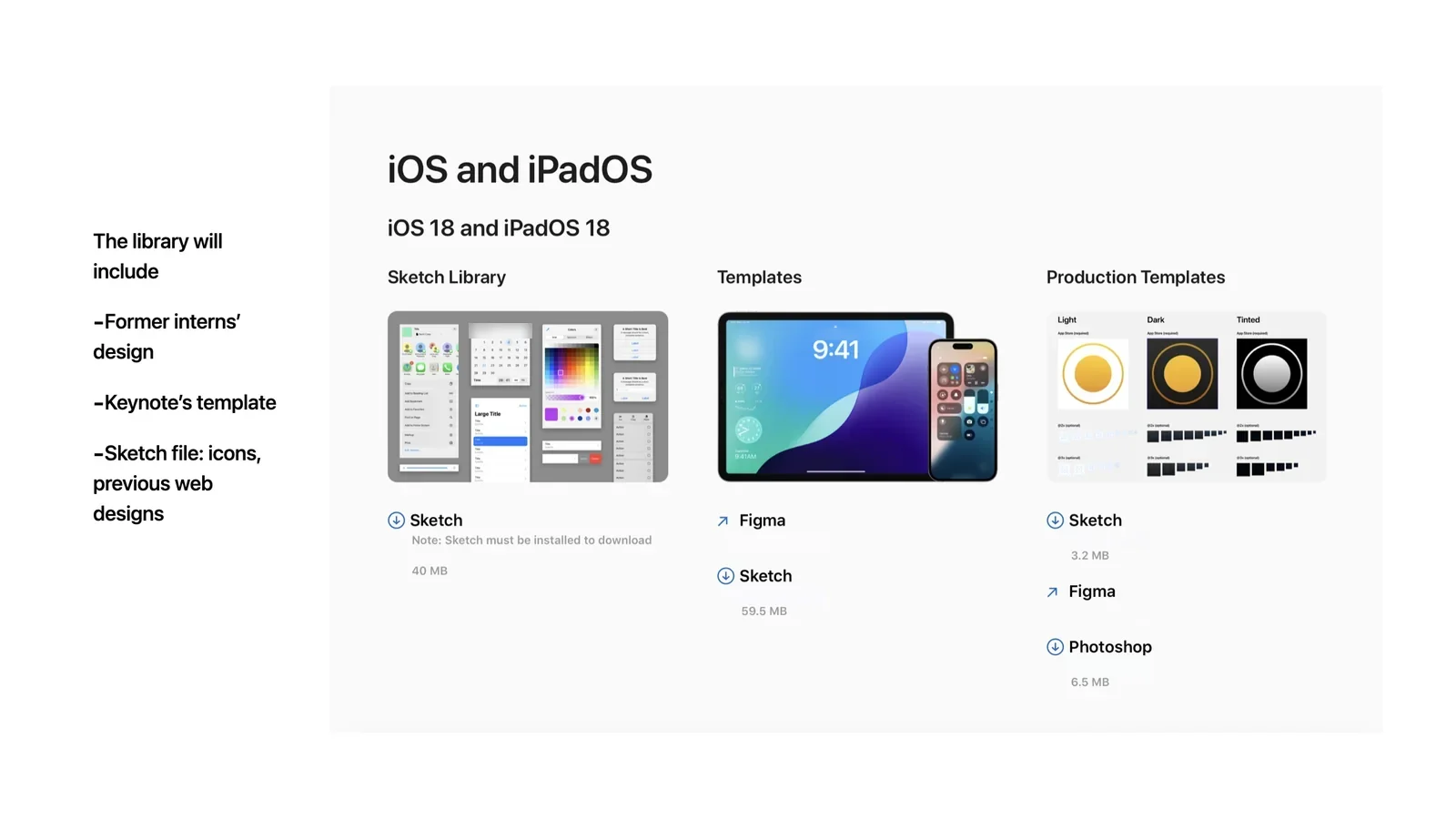
A digital onboarding checklist and a design resource guide
A design library page with Sketch libraries and Keynote and production templates
  • Intern adventures as 10 must-dos, each one earning a badge when it's done.
  • Achievement badges, passport stamps and stickers as ways to mark progress.
  • Next to the checklist, a design resource guide: former interns' designs, Keynote templates, icons and previous web designs.

Web design evolution

  1. The workshop clusters laid out along an intern timeline

    Intern journey

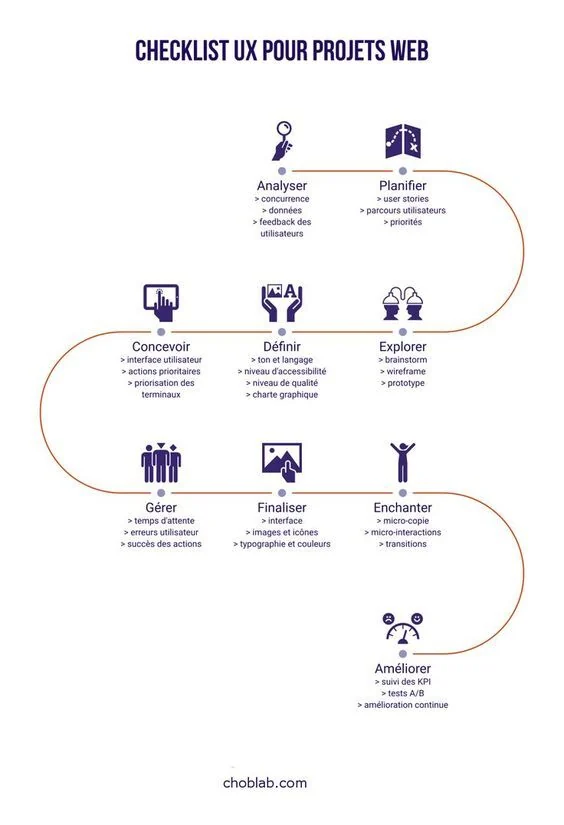
  2. A UX checklist poster drawn as a winding path

    Checklist as a path

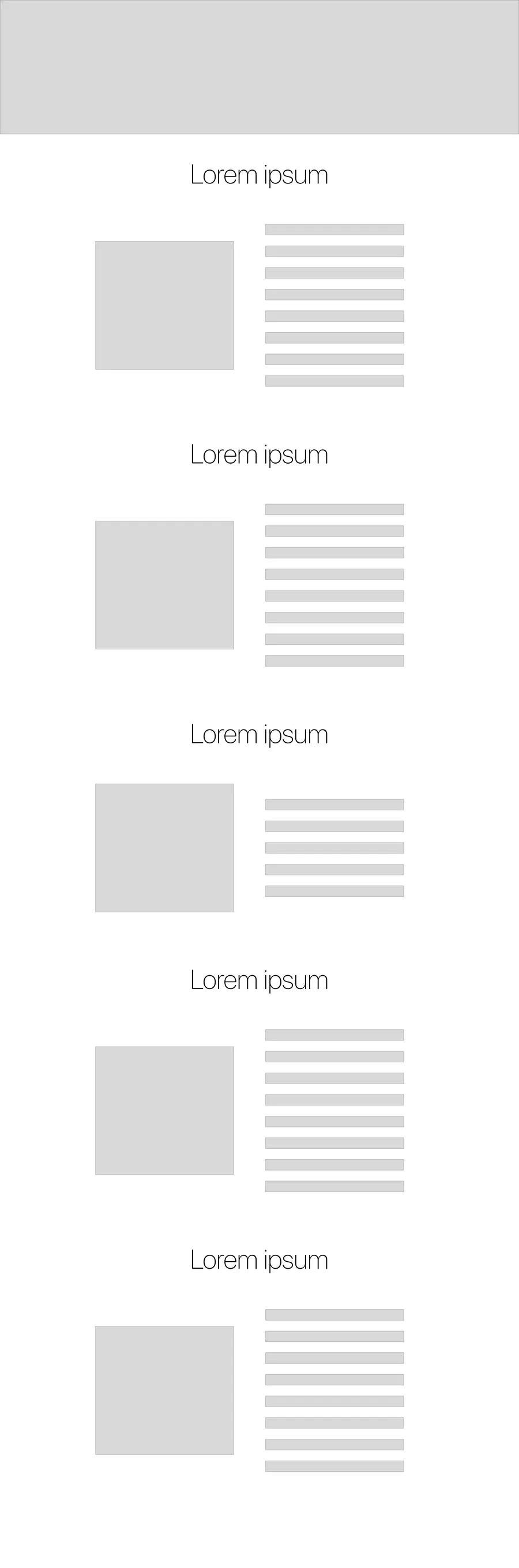
  3. Wireframe with a banner and a two-column grid

    Two-column grid

  4. Wireframe with one row per section: image left, list right

    One row per badge

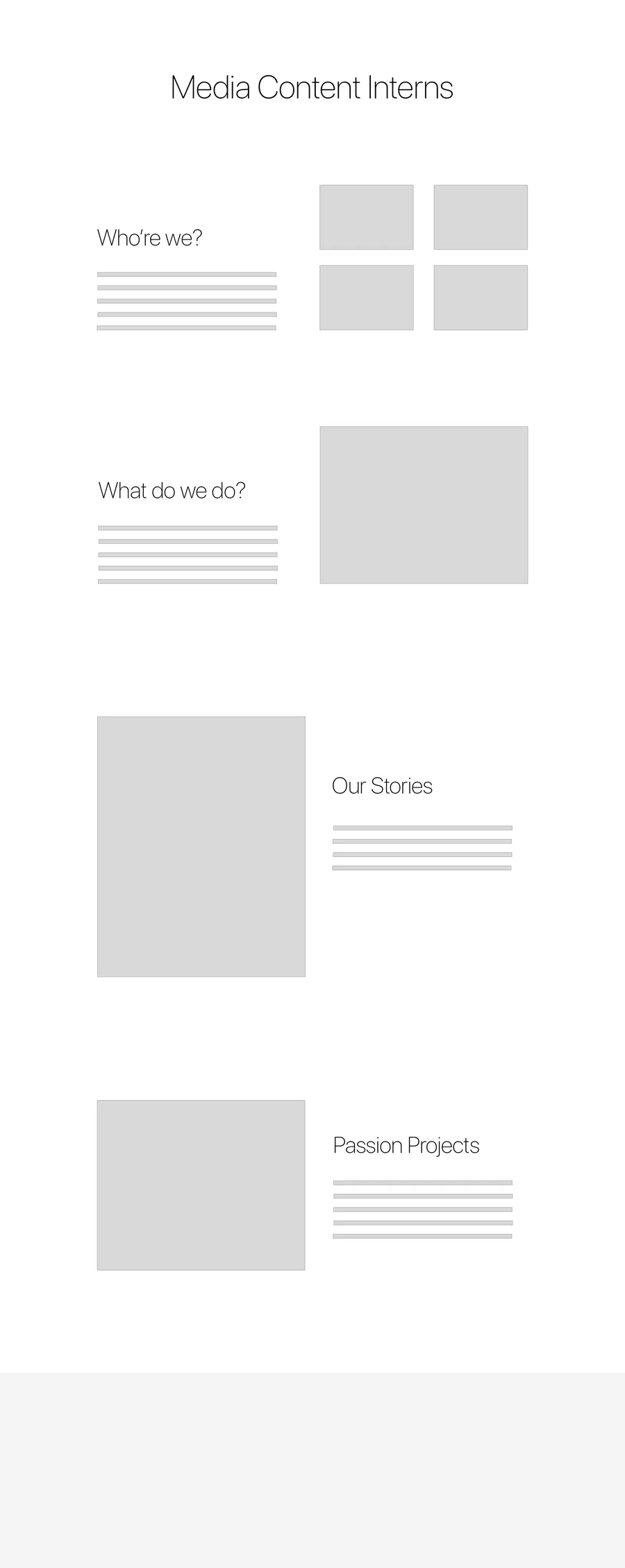
  5. Wireframe of the team site: about, featured work and quick links

    Team site

  • From the intern timeline, to a two-column grid, to one row per badge: the illustration on the left, its checklist on the right.
  • The team site uses the same blocks for its stories: about, responsibilities, recent work and quick links.

Badge design



New 2 Product Ops Content Development Apple Insider Networking Task Tally Tips & Tricks
Badge sketches, then grey rounds of the Content Development, Apple Insider and Task Tally badges
  • Hand sketches first, then grey rounds to settle each shape and its lettering before color.
  • Each badge got its own character and color, then motion, so the checklist feels like collecting rather than paperwork.

FINAL DESIGN

Two sites, one laptop. Scroll the team site, open Task Tally from its passion project card, and tick off a few tasks.

OPEN FULL SCREEN ↗
MEDIA CONTENT INTERNS
Who the team is, its responsibilities, recent work and stories, plus quick links to past articles, the interns’ yellow pages and the team’s Spotify.
TASK TALLY
Five badges and 53 tasks, from setting up your equipment to sending your new resume to your recruiter, each linked to the tool, training or resource it needs.
BACK TO Home→
HOMEBACK TO TOP©SHAYNE SHEN 2019–2026 ALL RIGHTS RESERVED.