SSHEN

Incorrect password.

000%

INITIALIZING

SSHEN ← PRODUCT DESIGN WORK

AUTOMATED SURVEY REQUEST

  1. 00OVERVIEW
  2. 01IMPACT
  3. 02PROBLEM
  4. 03RESEARCH
  5. 04PRINCIPLES
  6. 05PROCESS
  7. 06VALIDATION
  8. 07RELEASE
  9. 08TAKEAWAYS

0% READ

Automated Survey Request

A guided command-bar flow that lets surveyors request Mach9’s automated feature extraction without having to understand its billing or stationing logic.
ROLE
Lead product designer
TIMELINE
Jul – Dec 2026
TEAM
1 PM, 1 designer, 4 engineers
PLATFORM
Web app
TOOLS
Figma, Cursor
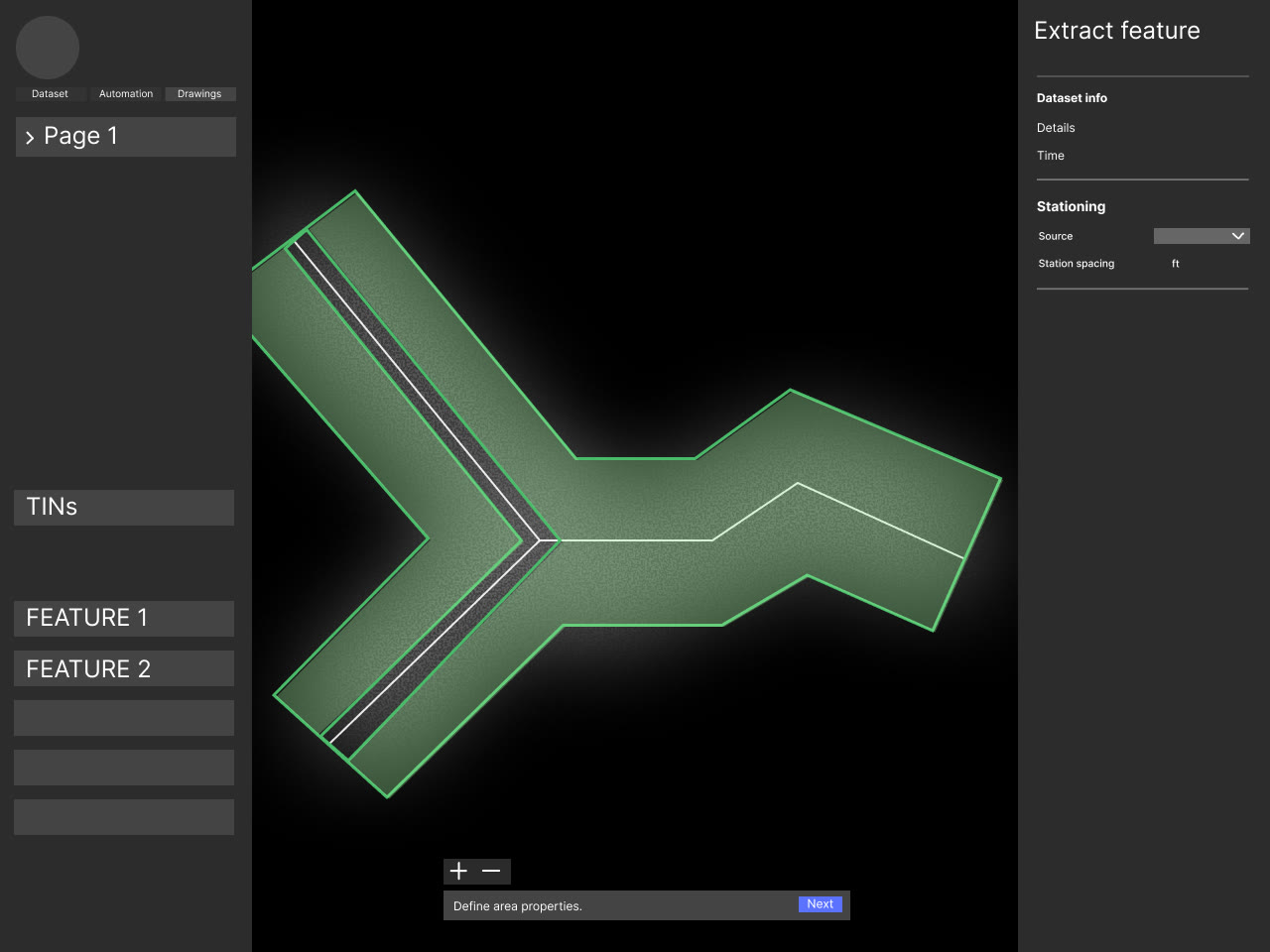
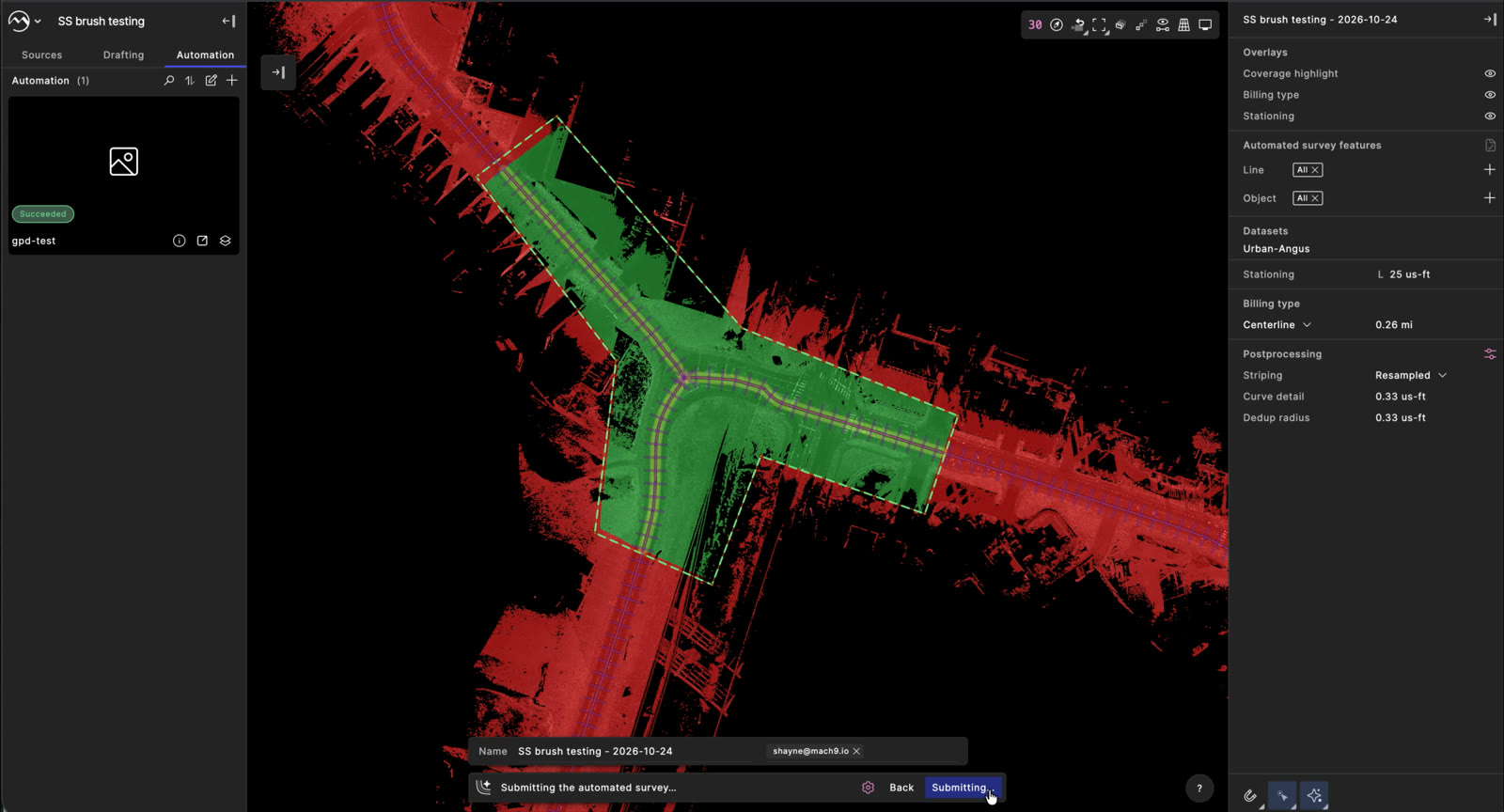
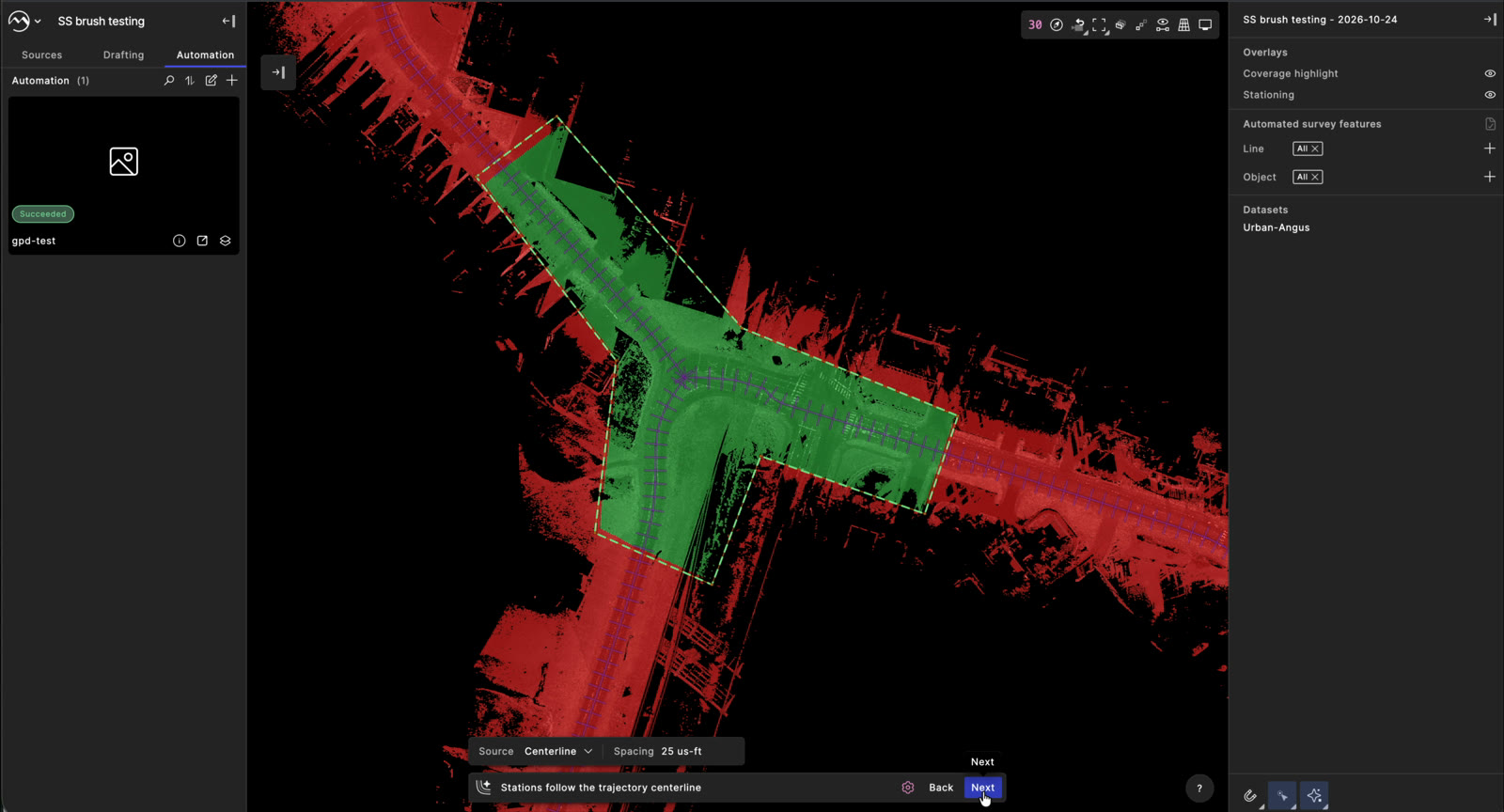
Selected extraction area in green, with the command bar asking for the stationing source

IMPACT

One guided line replaced seven overloaded stages. A request no longer depends on knowing how Mach9 bills or stations data.

0

ENTRY POINT

0

COMMAND BAR, START TO SUBMIT

0

STEPS PRESET

0

BILLING DEAD ENDS

PROBLEM

Automated survey requests are Mach9’s main source of revenue. Every request that fails, or needs Customer Success to step in, costs both revenue and trust.

PROBLEM

Requesting an automated survey was so complex that users couldn’t find where to start, their KMZ and KML boundaries from other apps failed to upload, and the ones that did couldn’t be edited in the editor.

HOW MIGHT WE

How might we make requesting an automated survey simple enough that users get it right the first time?

RESEARCH

User profile

Clay portrait of a project manager holding rolled-up plans

Walter

Project manager at a civil engineering firm

“I run multiple automated survey requests for the same dataset.”
ROLE
Owns projects end to end: field collection, data registration and QA/QC, then delivers a database that clients load into ArcGIS.
GOALS
Turn large mobile datasets into client-ready features with as little rework as possible.
BEHAVIORS
Runs several requests on one dataset: to split it into projects with different templates, or to catch objects the first pass missed.
TOOLS
Buffers the trajectory centerline at 15 m and trims against KMZ overlays. Draws polygons only for targeted edits like road widening.
PAIN POINTS
Settings that don’t match how the firm works. Stationing tools go unused, and Task Manager doesn’t fit its project structure.
NEEDS
Extraction areas that can be reused across requests, and defaults that trust the trajectory centerline.

User flow

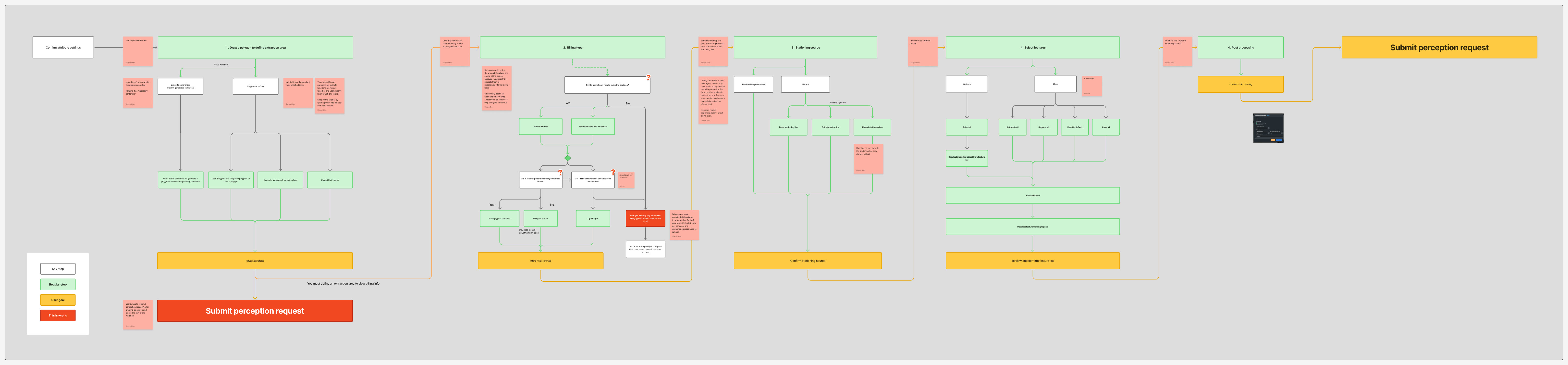
FigJam user flow of the original survey request, seven stages with red audit stickies
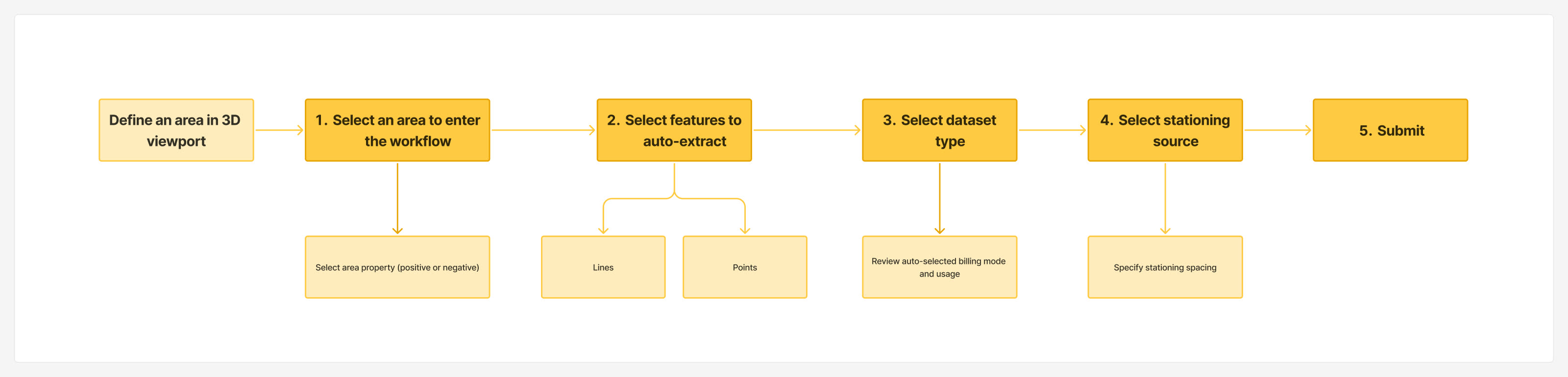
FigJam user flow of the redesign: define an area, then five numbered steps to submit

  1. 01One step does too much, and its tools mix shapes and lines behind unclear icons.
  2. 02Nobody knew what the orange “billing centerline” was.
  3. 03Users had to understand internal billing logic, and some picked the cheaper option, not the right one.
  4. 04“Billing centerline” appears again, so users assumed stationing changes cost. It doesn’t.
  5. 05Station spacing sits two stages away from the stationing source it belongs to.
  6. 06After drawing a polygon, users jumped straight to Submit and skipped the rest.

DESIGN PRINCIPLES

Clay boxes nested inside each other, the lid open

Progressive disclosure

Show one step at a time. Billing and stationing details wait until they matter.

Three identical clay arches in a row

Consistent mental model

An extraction area is drawn, selected and edited like any other line in the app.

Clay cursor resting on a large target beside a small one

Fitts’s Law

Work primarily in the command bar, so the cursor and attention stay in one place.

PROCESS

9 design rounds

3 design reviews with 5+ engineers to align on design decisions and settle the technical dependencies.
  1. ROUND 01

    Step-specific workspace

  2. ROUND 02

    Entry point and panel options
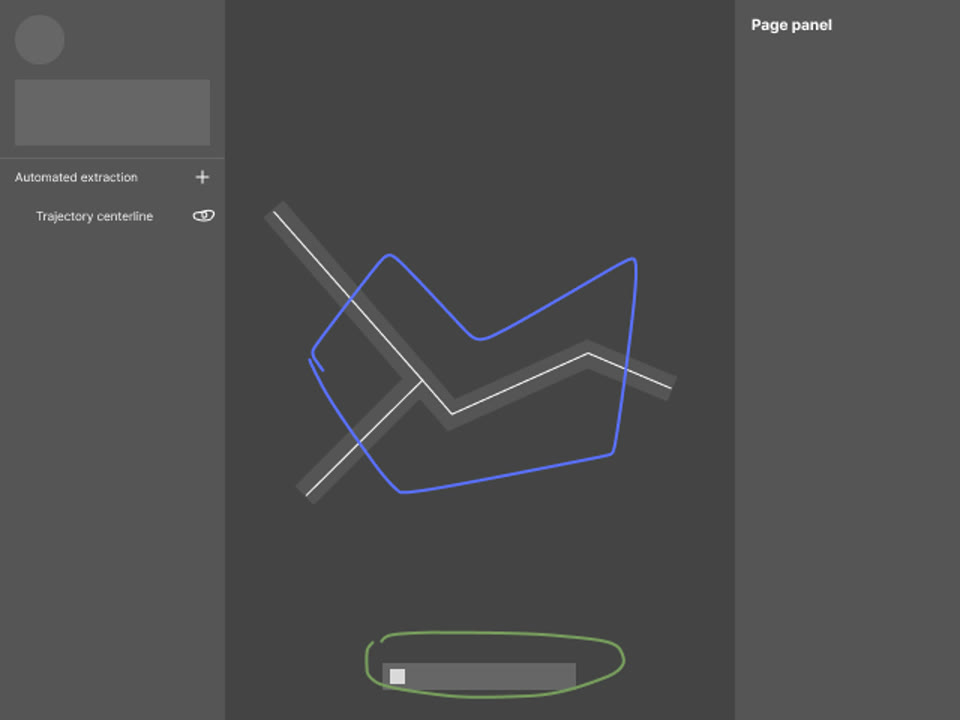
  3. ROUND 03

    Dedicated toolbar test

  4. ROUND 04

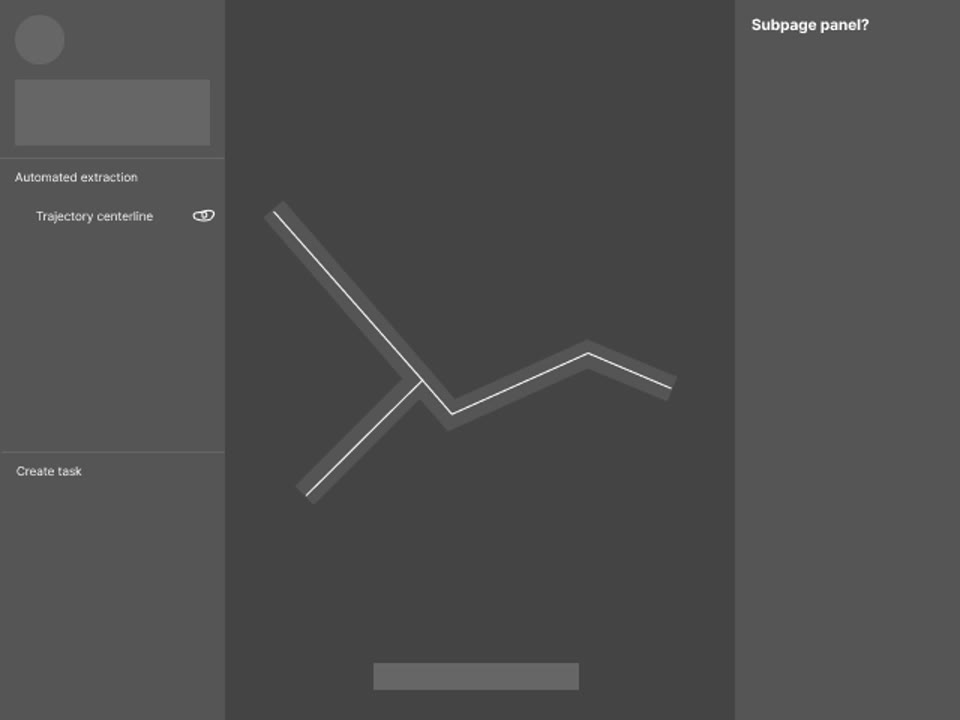
    Sketches and a subpage panel
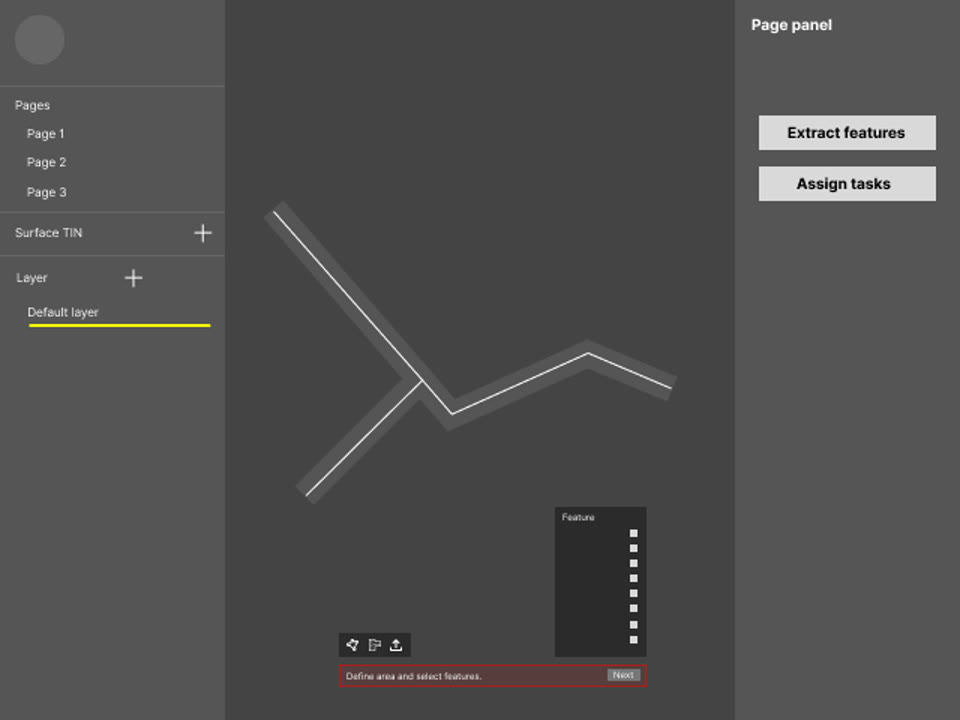
  5. ROUND 05

    Tools in the default toolbar
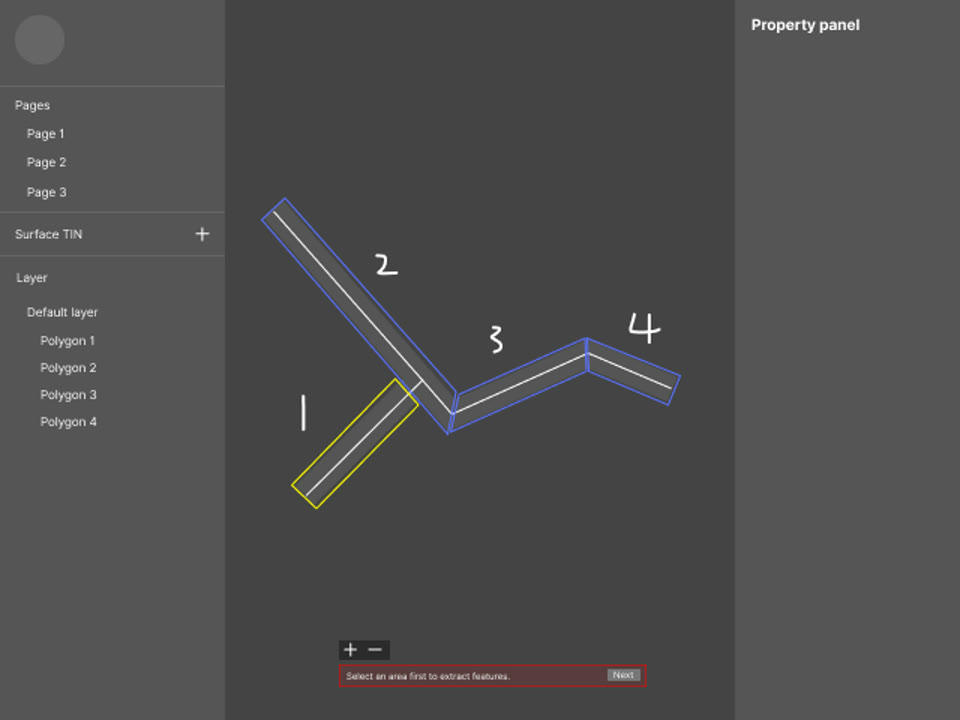
  6. ROUND 06

    Before vs. during extraction
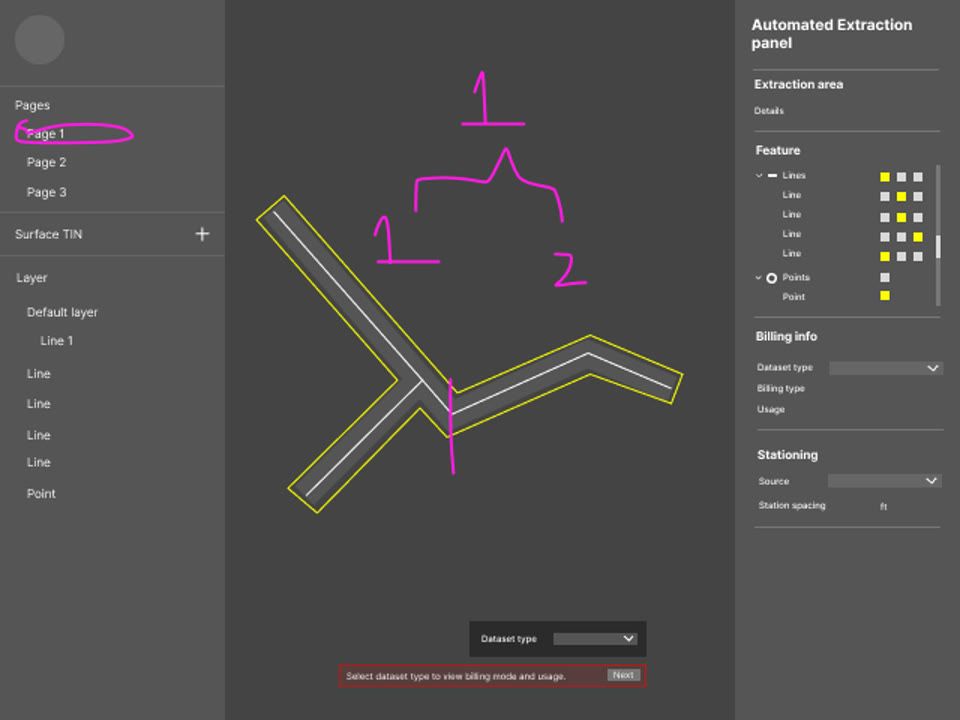
  7. ROUND 07

    The full step sequence

  8. ROUND 08

    Mobile and aerial datasets

  9. ROUND 09

    Final flow

Key decisions

D1

Where does the workflow live?

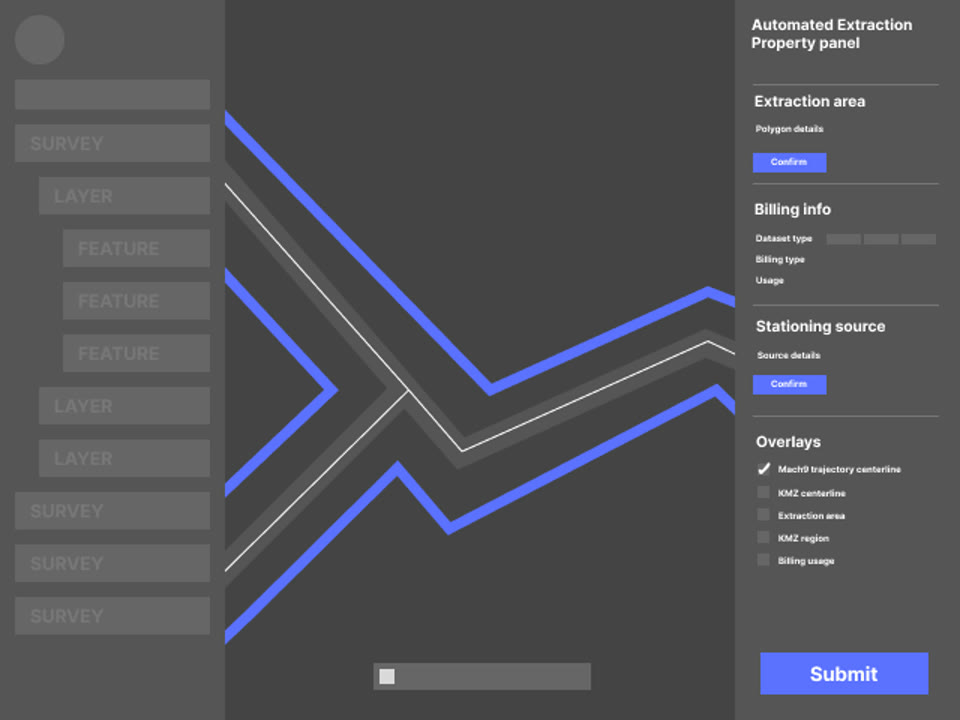
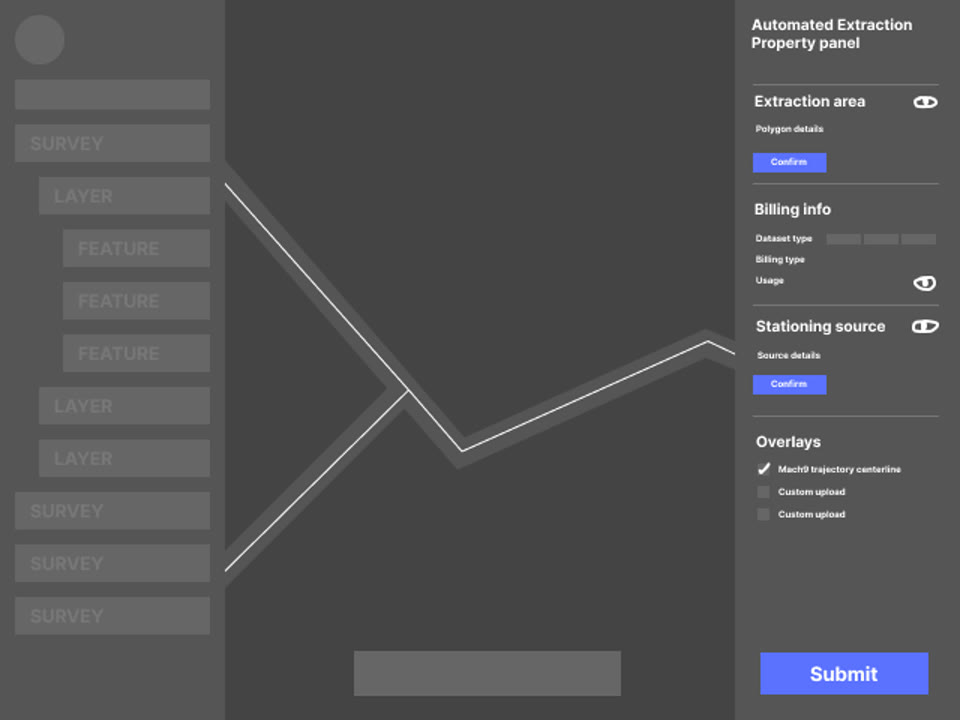
Wireframe with one property panel holding extraction area, billing, stationing and overlays

EXPLORED

One panel with every setting. The old overload, just moved.

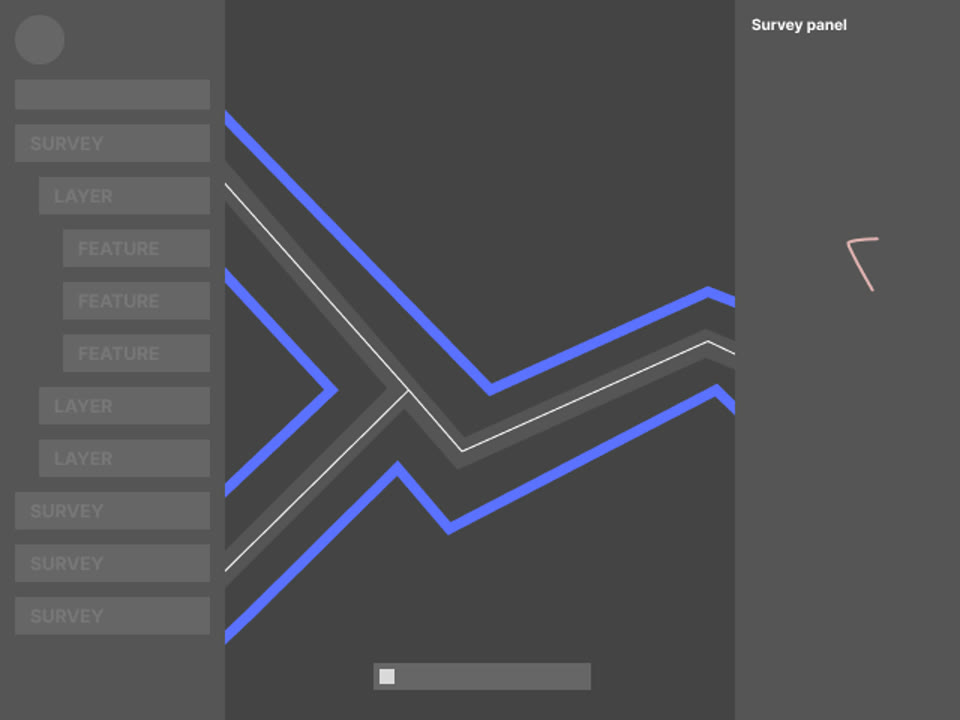
Wireframe with extraction placed inside the survey panel

EXPLORED

Inside the survey panel. Familiar, but already full, and extraction got lost in it.
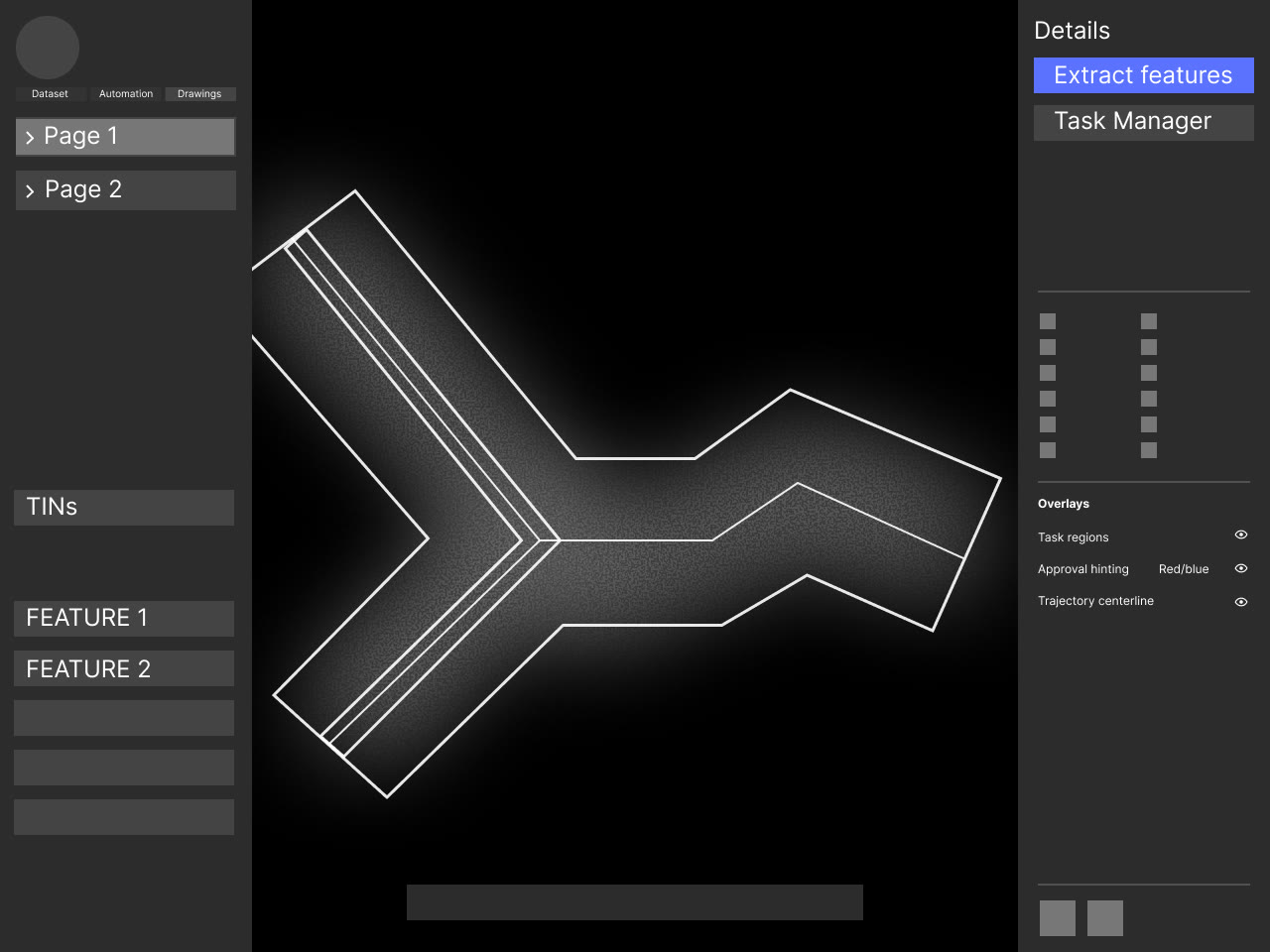
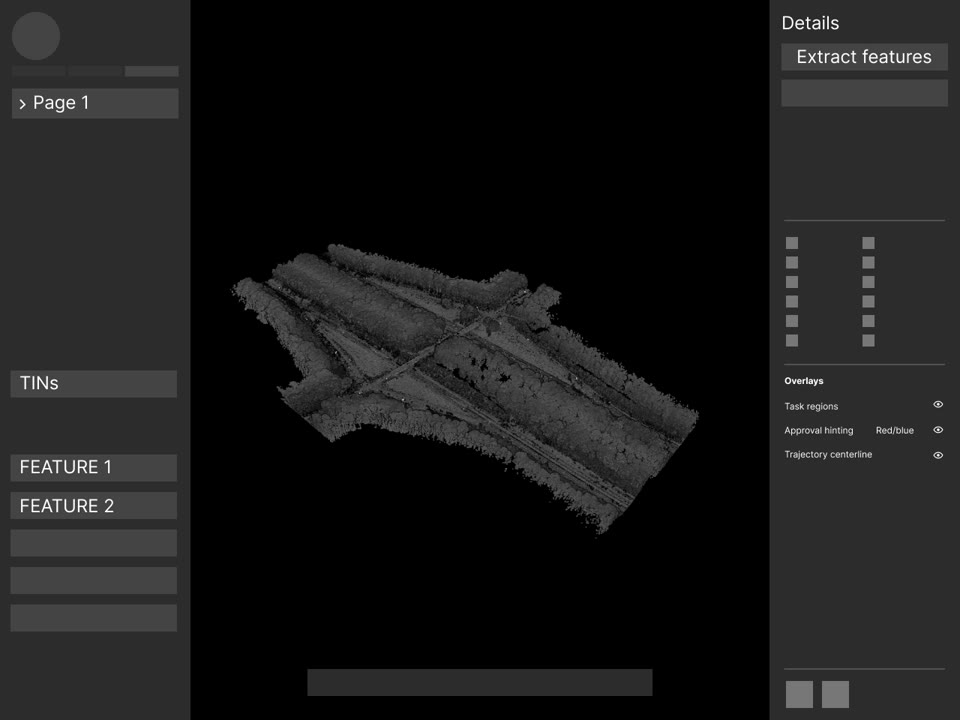
Page details with an Extract features button above Task Manager

CHOSEN

Extract features, next to Task Manager. A short step panel opens only once an area is picked.

D2
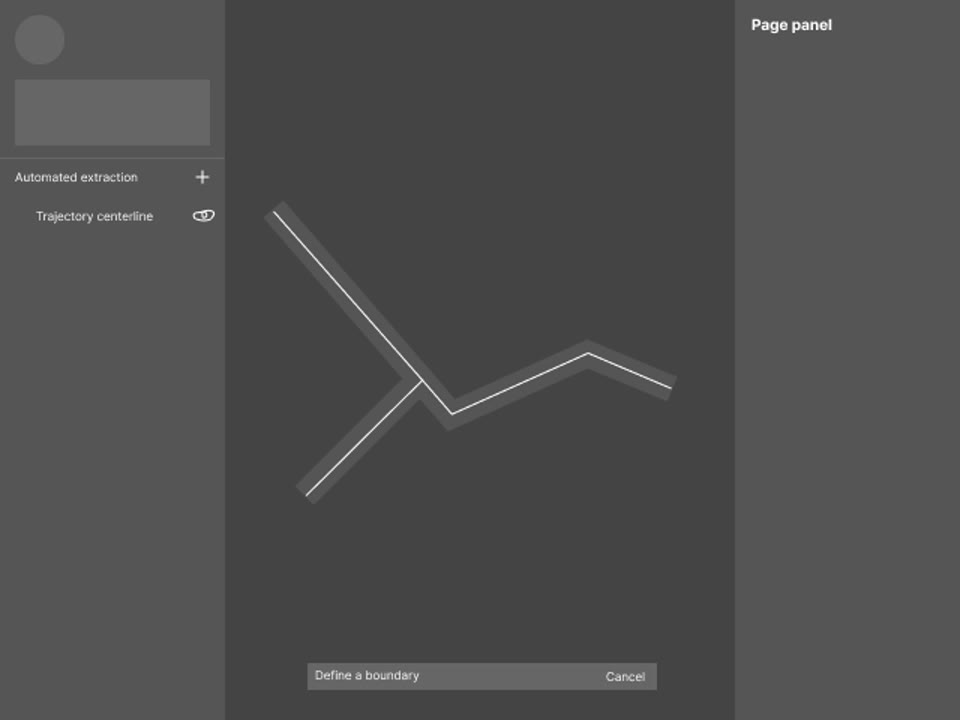
Which toolbar draws the boundary?

Wireframe with a dedicated define-a-boundary toolbar

EXPLORED

A dedicated extraction toolbar. Five-plus tools users would only ever see here.
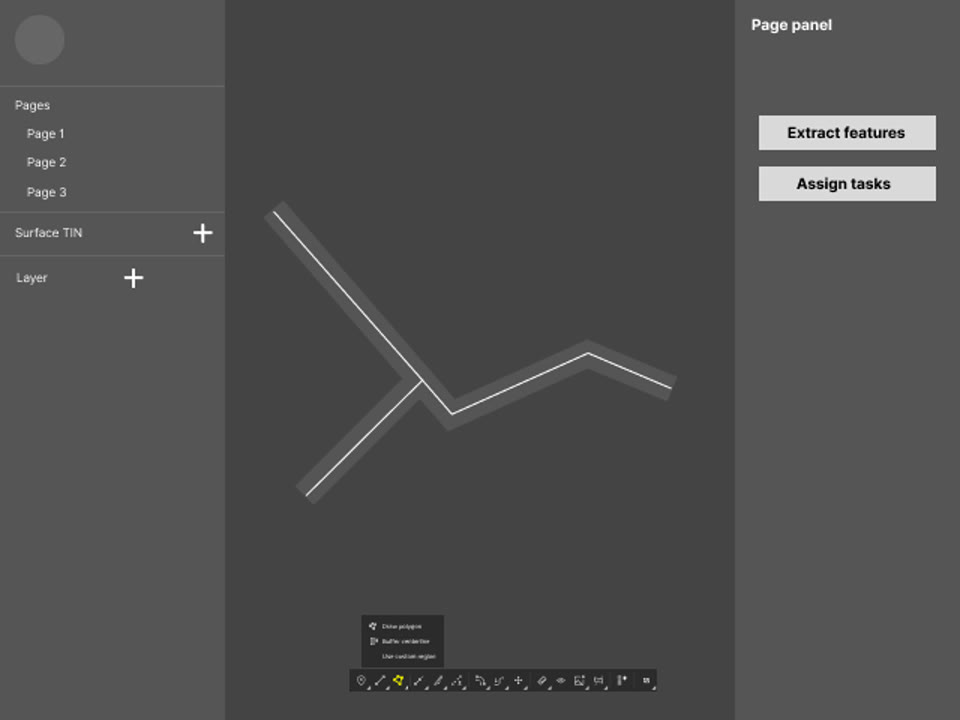
Wireframe with a define-area tool and popover in the default toolbar

CHOSEN

The default app toolbar. Define area sits with the other editor tools, with buffer, polygon and KMZ in a popover, the same way TINs draw boundaries.

D3
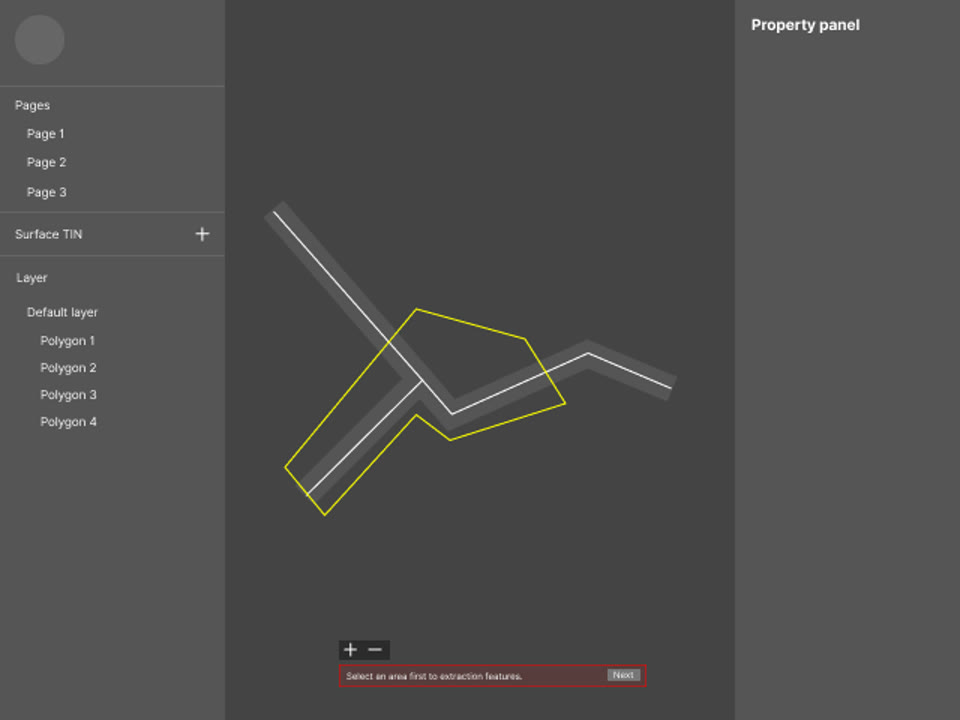
When do users define the area?

Wireframe drawing an area while already in feature extraction

EXPLORED · WORKFLOW B

During extraction. Two jobs in one step, and the area is gone once the request is sent.

Wireframe selecting one of four pre-defined areas before extraction

CHOSEN · WORKFLOW A

Before extraction. Areas stay in the document, so a project manager can reuse them across several requests on one dataset.

D4
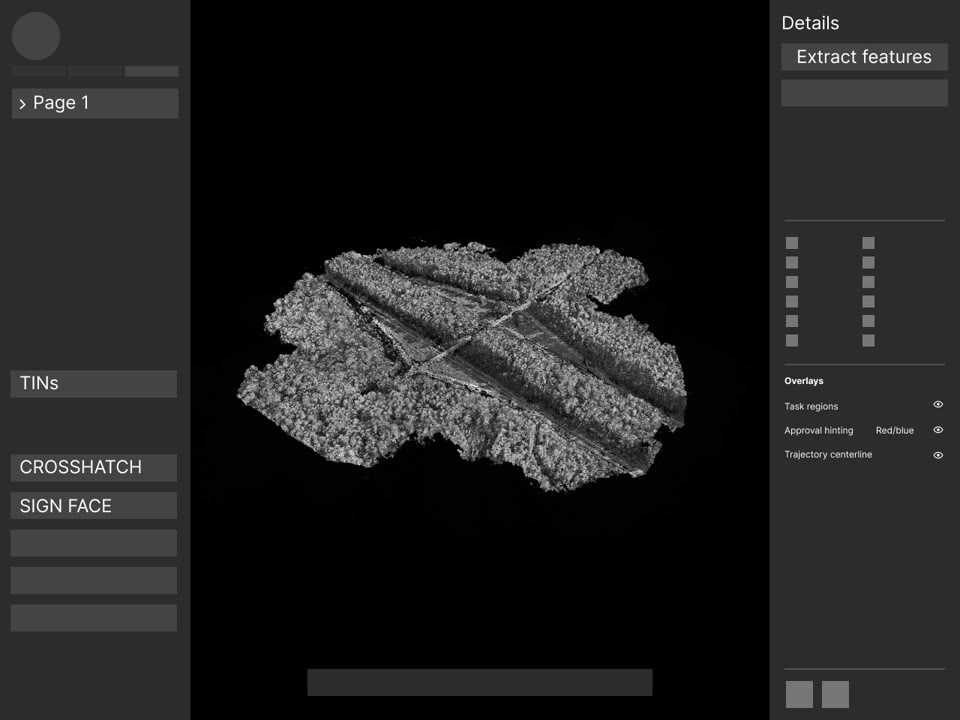
What does billing ask of users?

Point cloud dataset loaded in the viewer with the Extract features panel

EXPLORED

Infer billing from the datasets in view. No question at all, but nothing showed users what set the cost.

Wireframe with a billing dropdown in the command bar

CHOSEN

Billing type in the command bar, preset to a sensible default. Users confirm it in one step and change it only when needed.
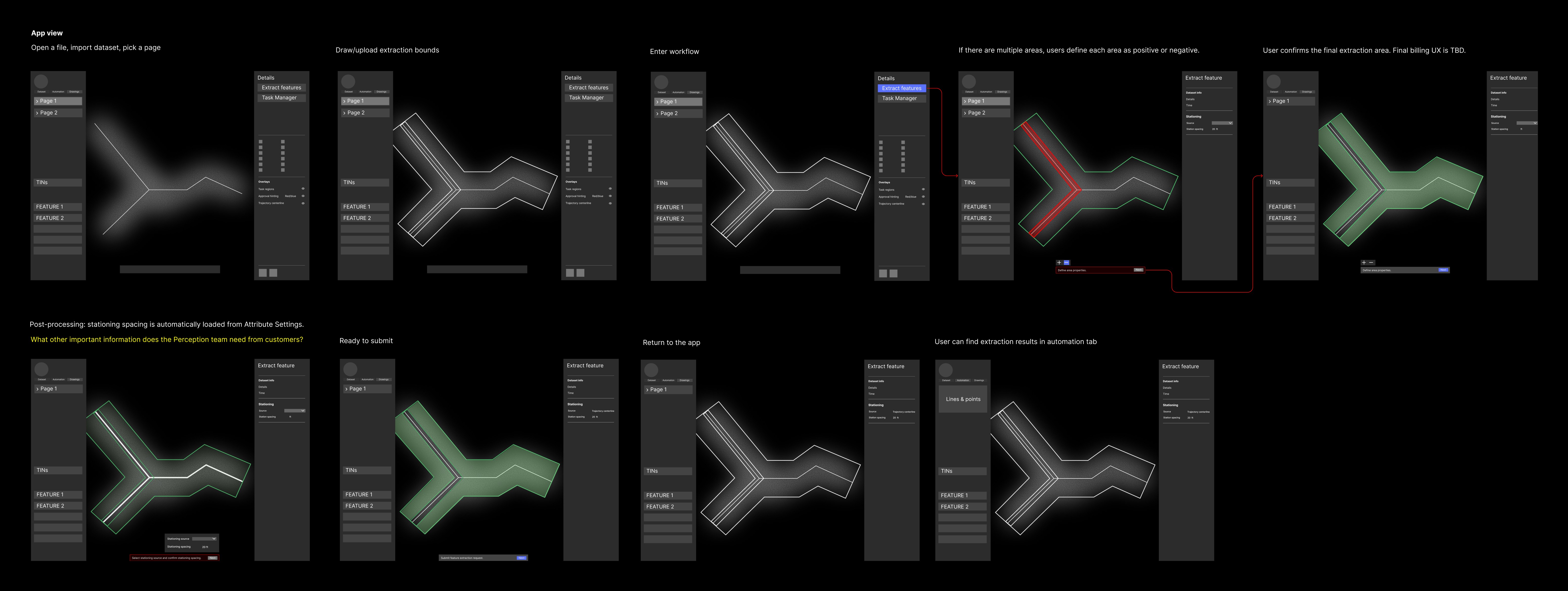
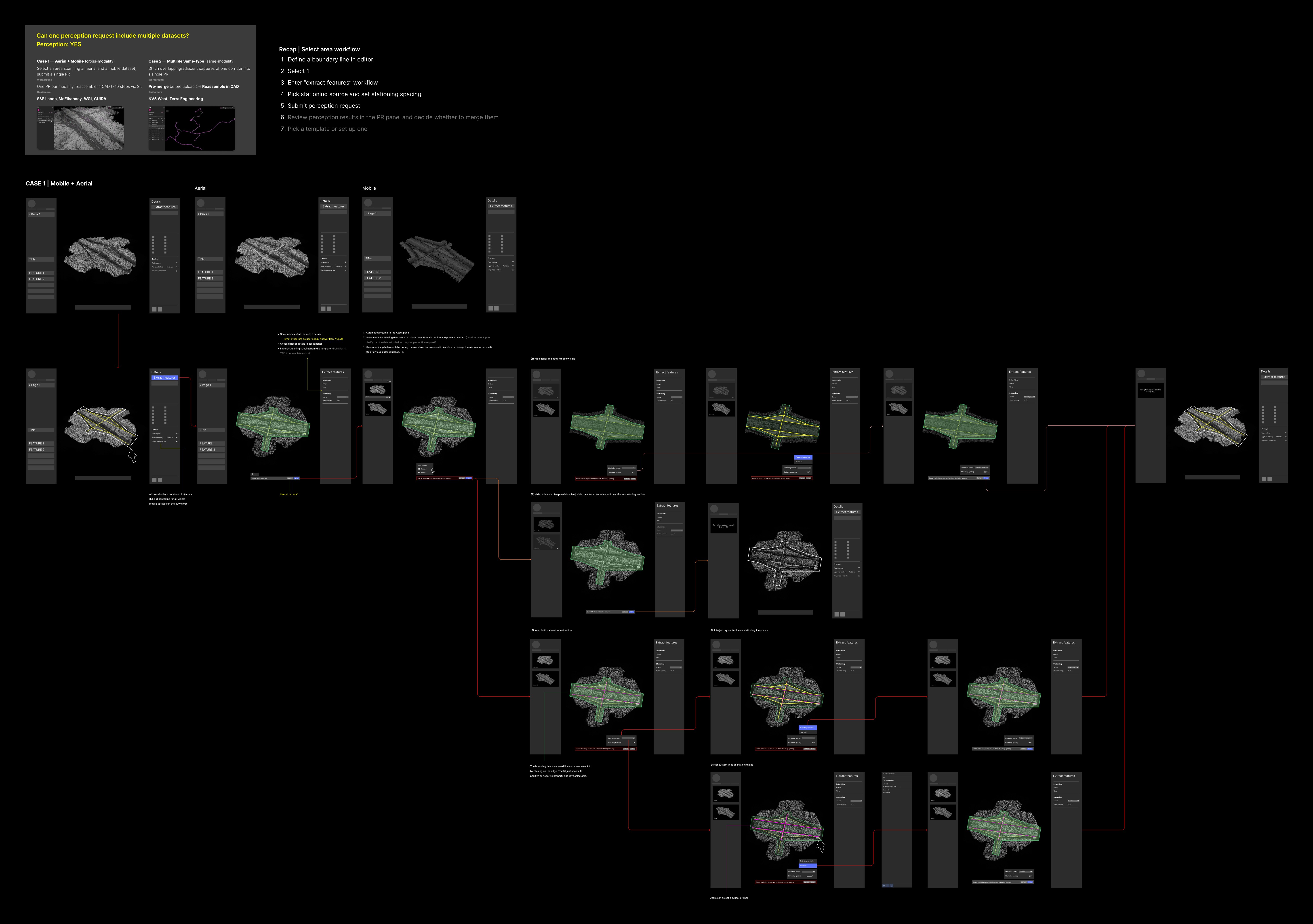
Mid-fi prototype

Storyboard of the single-dataset workflow, from opening a page to finding results in the automation tab
Wireframe flows for a page with both a mobile and an aerial dataset

High-fi prototype

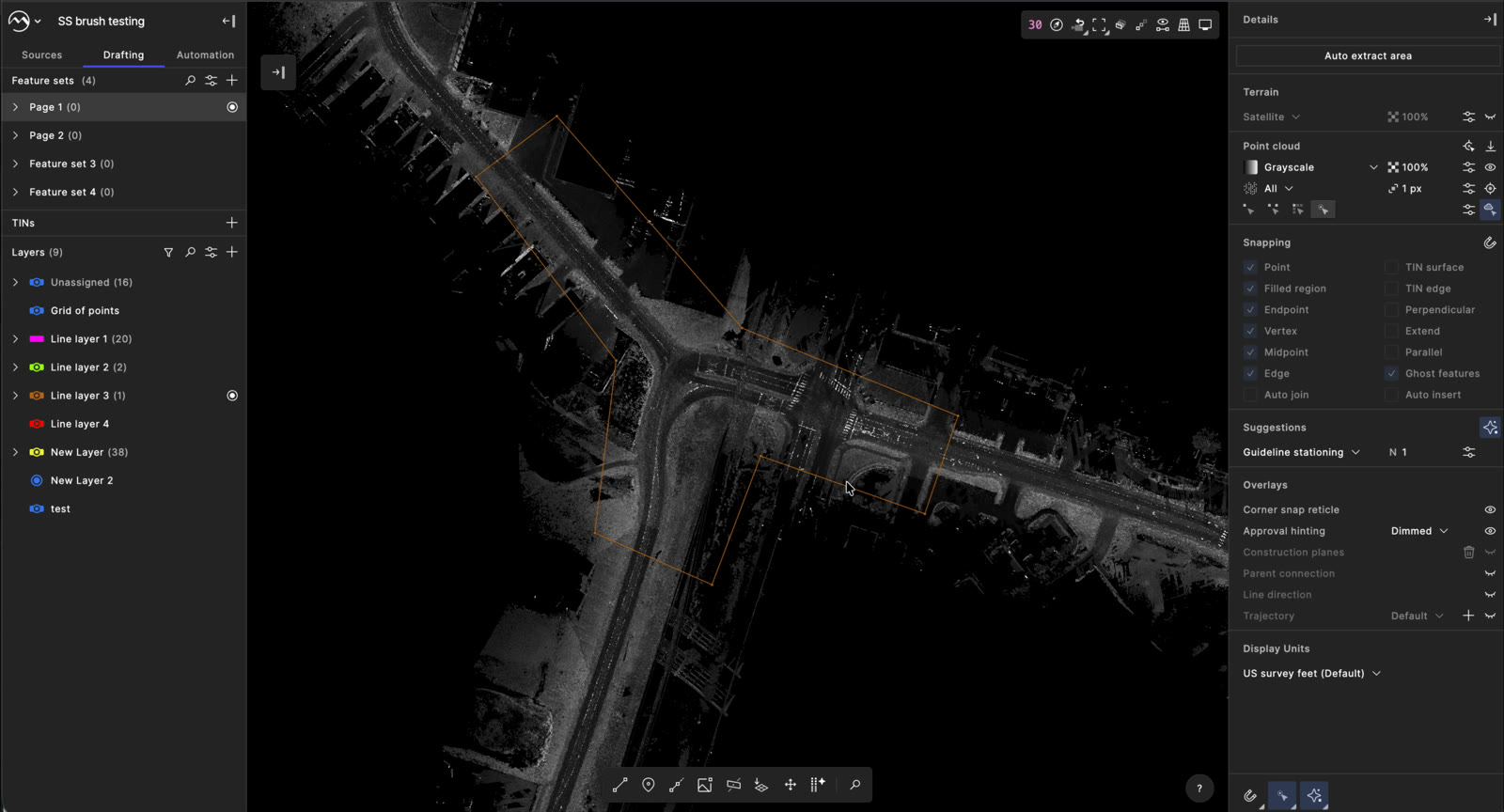
  1. Point cloud page with the Auto extract area button in the right panel
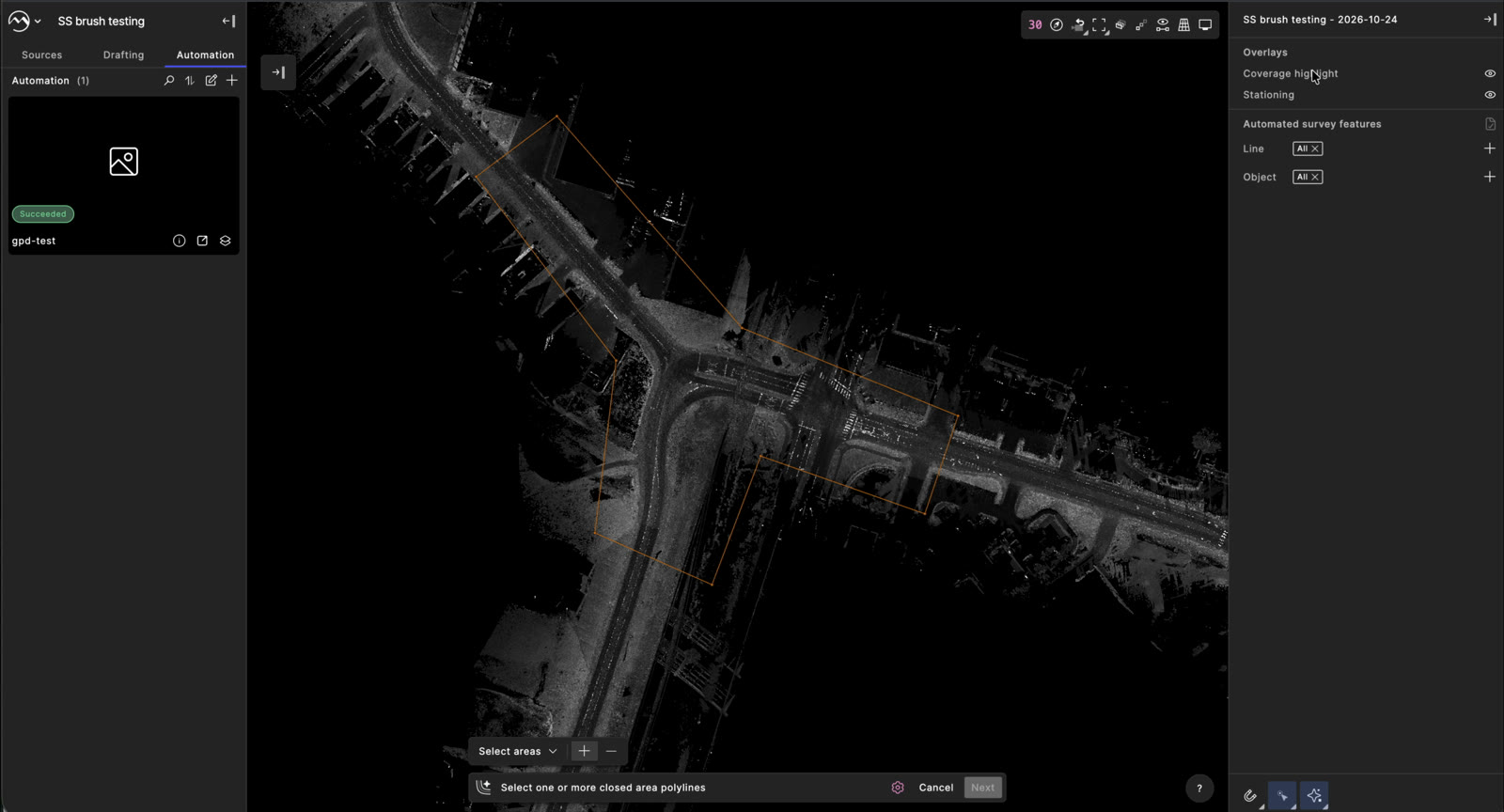
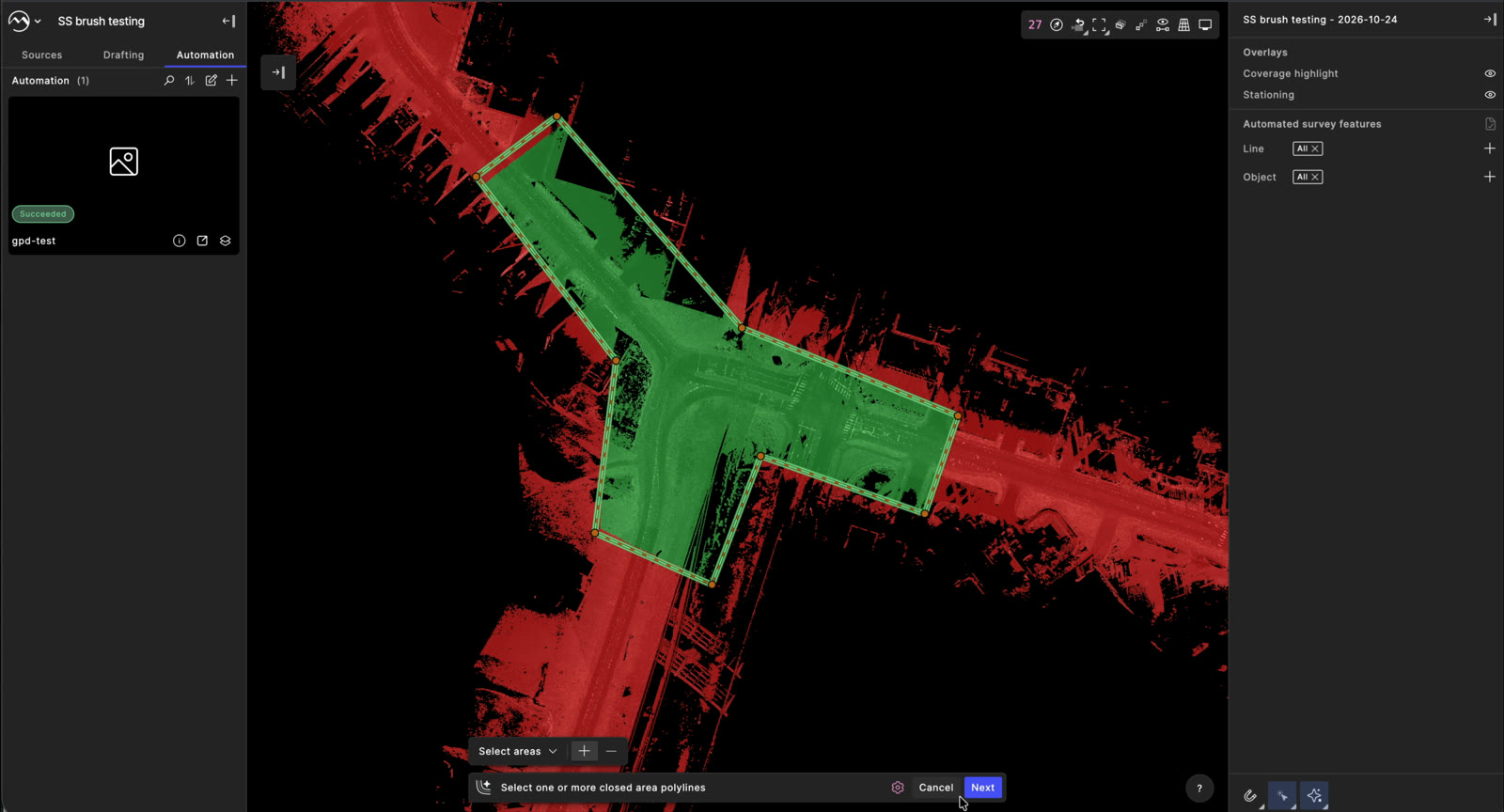
  2. Command bar asking to select one or more closed area polylines
  3. Selected area highlighted green against the red point cloud
  4. Command bar with stationing source set to centerline and 25 us-ft spacing
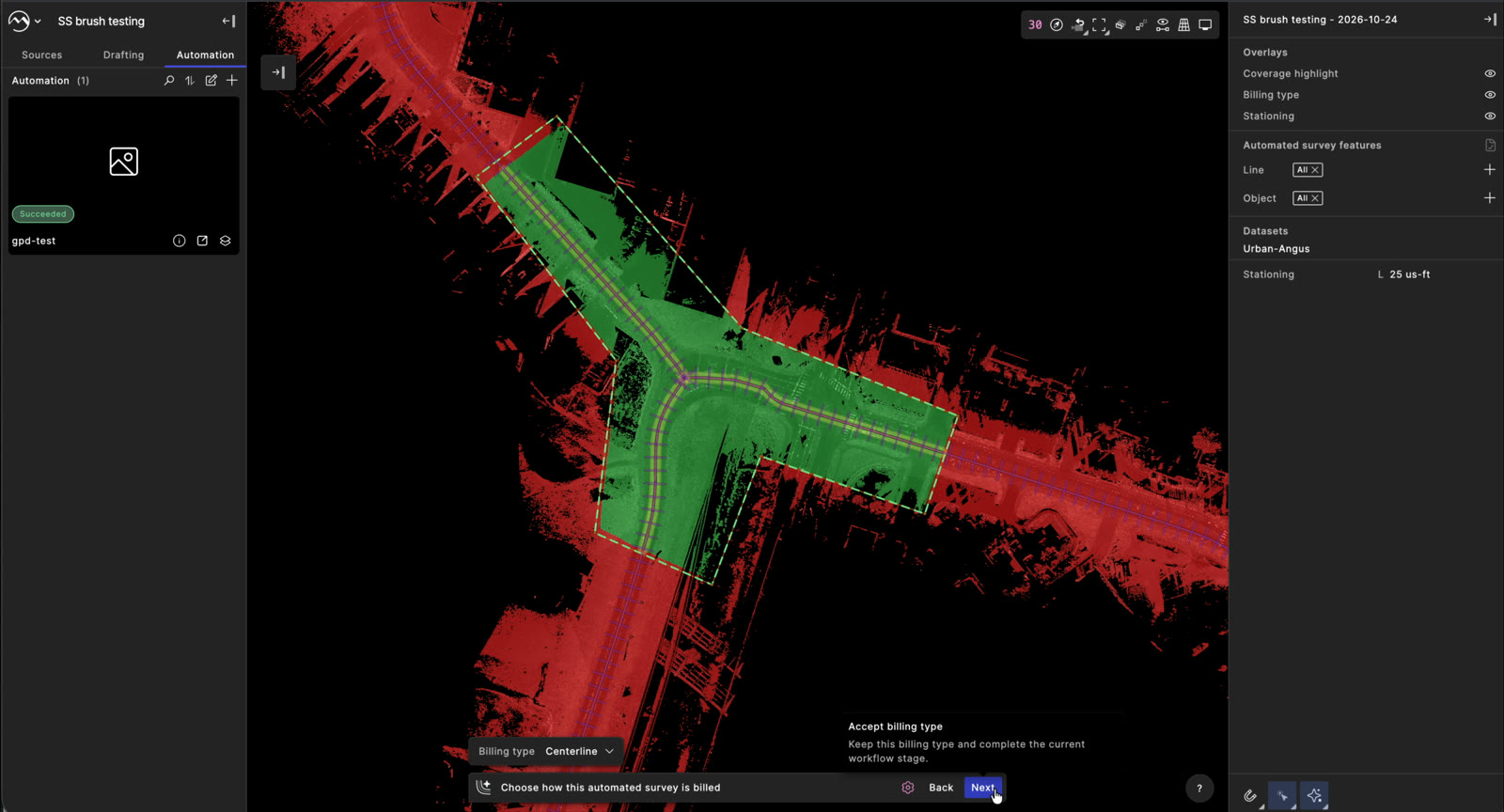
  5. Command bar with billing type preset to centerline
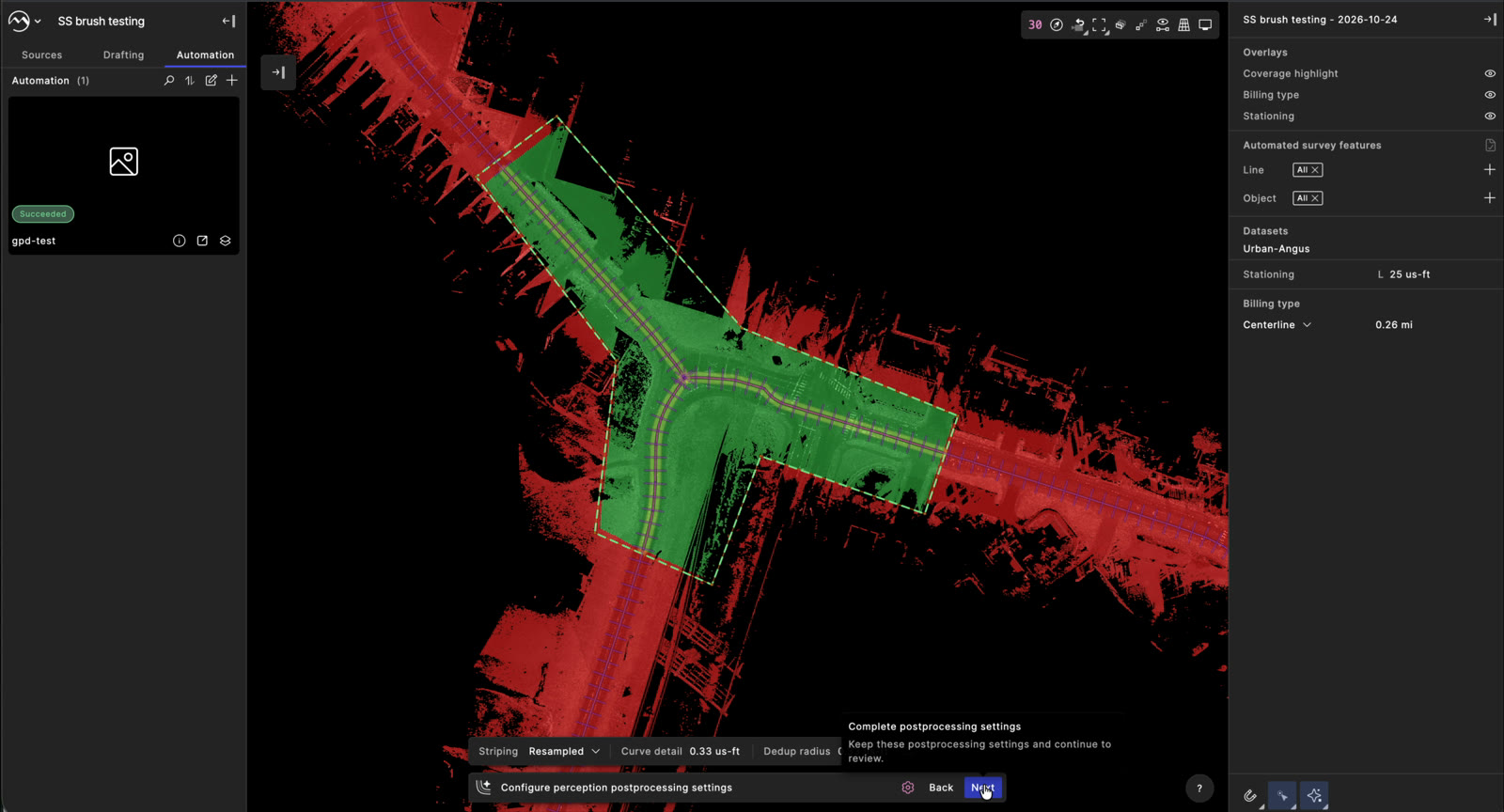
  6. Command bar with prefilled perception postprocessing settings
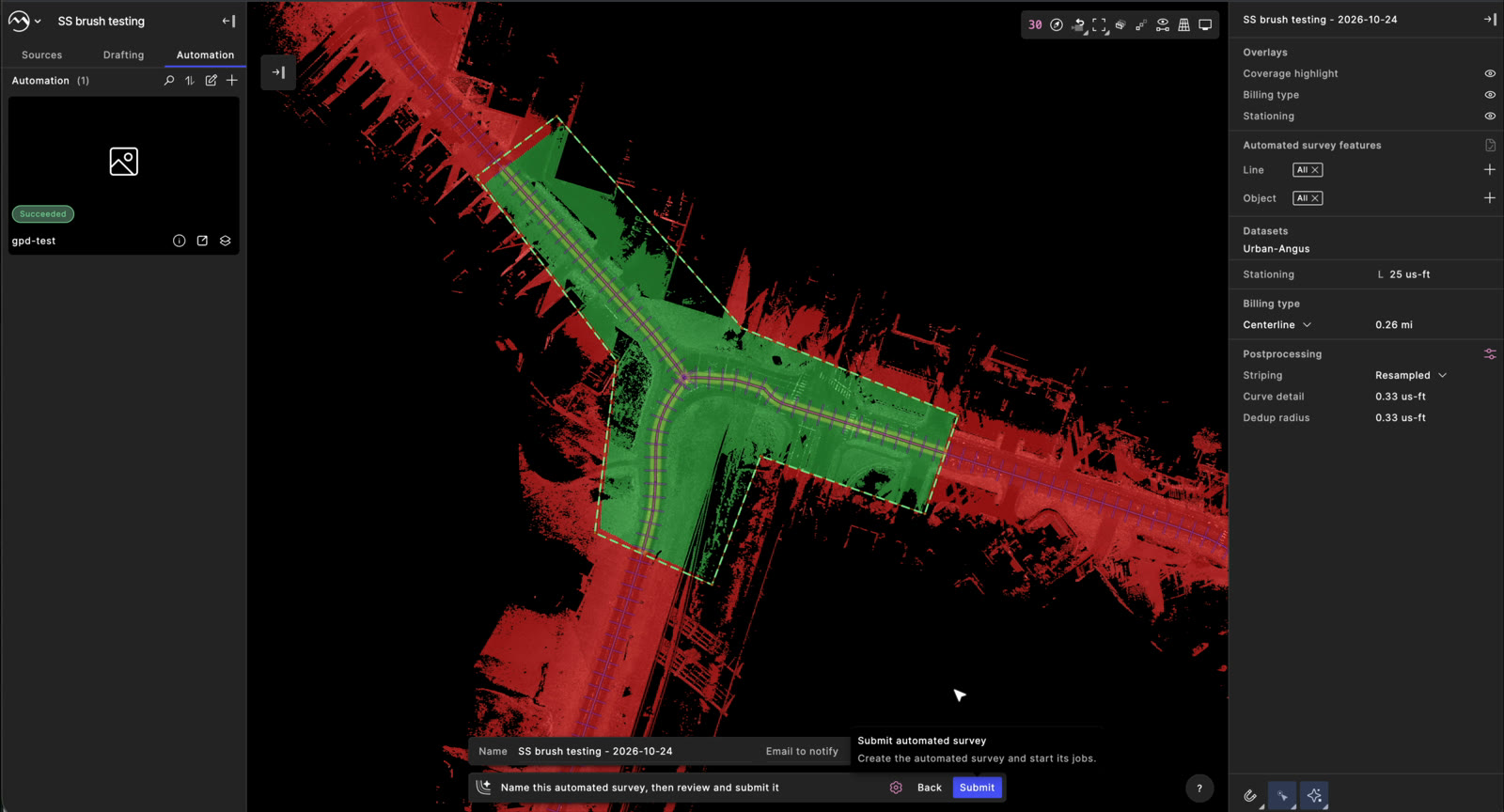
  7. Command bar asking to name the automated survey before submitting
  8. Automated survey submitting, with the Automation tab open on the left

01 / 08

VALIDATION

Every open question was settled with engineering before it reached high fidelity.

DESIGN REVIEWS

Three reviews with 5+ engineers decided where boundaries are saved, how billing is set, and where results land.

IN-APP TESTING

The high-fi flow runs end to end in the app on a real mobile dataset, from selecting areas to submitting the request.

RELEASE

  1. JUL 3First workflow explorations
  2. JUL 20Design review with engineering
  3. AUG 7Storyboard shared at the company all-hands
  4. SEP 8Final mid-fi flow
  5. OCT 24High-fi flow running in the app
  6. DECPlanned release

TAKEAWAYS

  1. 01Defaults are a design decision. Presetting billing, stationing and postprocessing lets most users finish without learning the system behind them.
  2. 02I’d put the billing step in front of customers sooner. It changed the most across rounds and was the last decision to settle.
  3. 03Next: let users review results before they merge into the file, so rerunning an area never duplicates features.
NEXT CASE STUDY Mach9 Iconography→
HOMEBACK TO TOP©SHAYNE SHEN 2019–2026 ALL RIGHTS RESERVED.